Accurate asset records help businesses understand what they own, where assets are located, how much value remains, and when replacement or maintenance may be needed. Poor asset tracking can affect depreciation, tax records, insurance support, budgeting, and financial reporting.
Spreadsheets can work for a small asset list, but they become risky when a company manages equipment, vehicles, furniture, computers, tools, leasehold improvements, or machinery across departments.
Good accounting software should turn asset tracking into a controlled process with clear records, automated calculations, and audit-ready documentation.
The asset register is the foundation of asset accounting. It should store every asset in one structured database rather than scattered files or department lists.
A complete record should include asset name, category, purchase date, cost, location, department, vendor, serial number, useful life, depreciation method, and disposal status.
For any fixed asset, the system should also connect the accounting record to supporting documents such as invoices, purchase approvals, service contracts, warranties, and photos.
Centralization prevents duplicate records and makes reporting more reliable.
Depreciation is one of the most important features for asset records. Manual depreciation schedules are easy to miscalculate, especially when assets are added, retired, transferred, or impaired during the year.
Accounting software should calculate depreciation based on the selected method, useful life, salvage value, acquisition date, and in-service date.
Useful software should support methods such as:
Straight-line depreciation
Declining balance
Double declining balance
Units of production
MACRS for tax reporting
Custom depreciation rules
Partial-period depreciation
The system should create schedules that update when asset assumptions change.
This helps accounting teams avoid manual recalculation.


Asset records are only useful if they are organized. Software should allow categories, classes, locations, departments, cost centers, projects, and account codes.
This helps businesses separate computers from vehicles, office furniture from machinery, and owned assets from leased or financed assets.
Good coding also supports better reporting.
Managers can view asset cost by department, depreciation by category, or replacement needs by location.
Without structured coding, asset records become difficult to analyze.
Every asset should have documentation attached to its record. This reduces time spent searching through emails, folders, and vendor portals.
Important documents may include purchase orders, invoices, delivery receipts, installation records, maintenance logs, warranties, photos, and disposal approvals.
Document storage is especially useful during audits, insurance claims, tax reviews, and internal control checks.
A system that links files directly to asset records creates a stronger evidence trail.
Assets move. Laptops are reassigned, tools transfer between job sites, vehicles move between branches, and equipment may be relocated after a project ends.
Software should track asset transfers with dates, old locations, new locations, approving users, and transfer notes.
This prevents confusion when assets are physically present in one location but recorded in another.
Location tracking also helps with physical inventory counts.
If the accounting record and physical asset list do not match, the business can investigate quickly.
Businesses should periodically confirm that recorded assets still exist and are in usable condition. Accounting software can support this through asset tags, barcode scanning, QR codes, mobile inventory tools, and count reports.
Physical inventory helps identify missing, damaged, unused, or incorrectly assigned assets.
A good review should confirm:
Asset tag number
Physical location
Condition
Assigned owner
Serial number
Department
Usage status
Maintenance needs
Disposal recommendation
Inventory results should update the asset record only after review and approval.
Asset accounting is not only about depreciation. Maintenance history can help businesses understand repair costs, downtime, warranty coverage, and replacement timing.
Software should allow users to record service dates, repair notes, technician details, warranty claims, and maintenance costs.
This is useful for vehicles, machinery, IT hardware, appliances, tools, and production equipment.
When maintenance costs rise, the business can compare repair expense against replacement cost.
That information supports better budgeting.
Asset disposal should be controlled carefully. Selling, scrapping, donating, trading, or retiring an asset affects accounting records.
Software should calculate gain or loss on disposal, remove accumulated depreciation, update the asset status, and retain the historical record.
Disposal workflows should require approval.
This prevents assets from being removed without documentation.
A clear retirement process also supports audit review and insurance updates.
Accounting software should make asset reporting simple. Teams need reports for net book value, depreciation expense, asset additions, disposals, transfers, maintenance costs, and upcoming replacement needs.
Reports should reconcile to the general ledger.
If the asset register does not match the balance sheet, accounting teams need a way to identify timing differences, coding errors, missing entries, or retired assets that were not removed properly.
Reliable reporting helps close periods faster.
Asset records should not be open to uncontrolled edits. Software should use role-based permissions so only approved users can add, edit, transfer, or retire assets.
Audit trails should show what changed, when it changed, and who made the update.
This protects data integrity.
It also gives managers confidence that asset records are controlled and traceable.
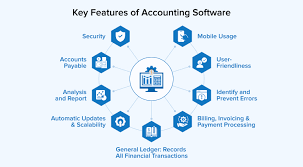
The best accounting software features for asset records include a centralized register, automated depreciation, asset coding, document storage, location tracking, inventory tools, maintenance history, disposal workflows, reporting, and audit trails.
These features help businesses protect asset value and improve financial accuracy.
When asset records are structured and maintained consistently, accounting teams can close faster, support audits, and make better decisions about equipment, technology, and long-term investment.
 AI tools to find & convert leads.
  Send emails at scale

