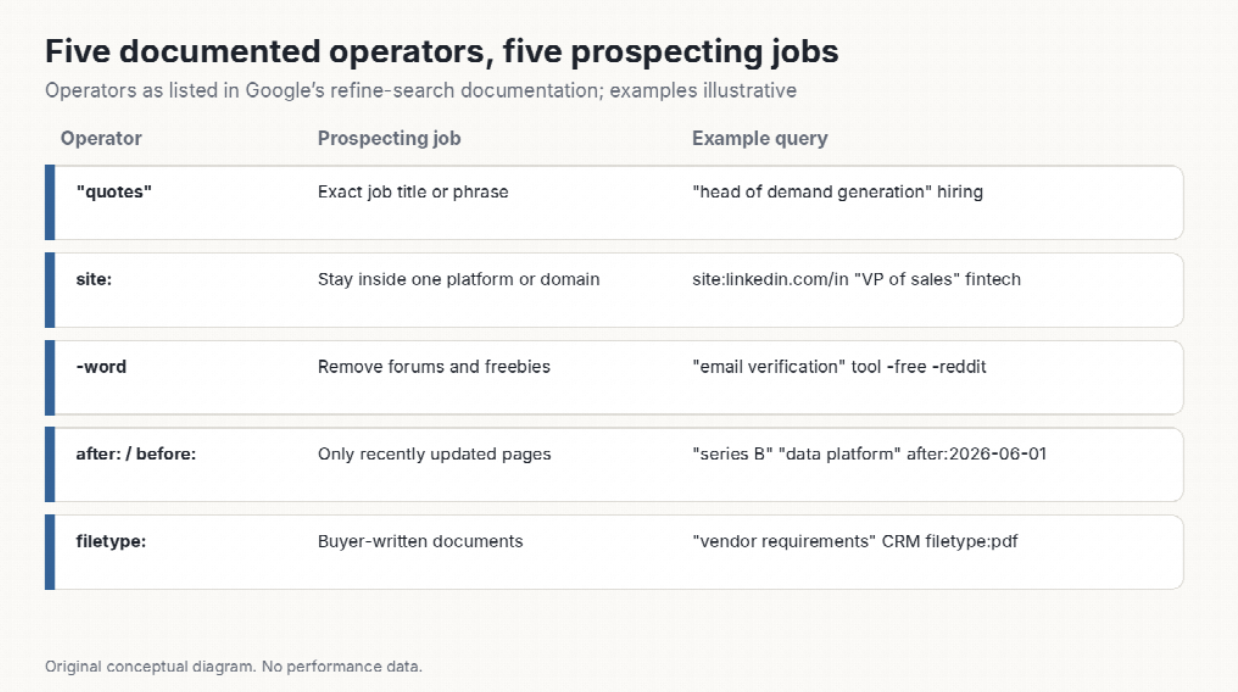
Google’s own documentation on refining searches lists a small set of operators: exact phrases in quotes, site: to stay within one domain, a minus sign to exclude a word, before: and after: to limit results by last-updated date, and filetype: to find a particular document type. The page also notes a rule people forget: no space may follow the operator, so site:example.com works and site: example.com does not.
That is enough to assemble a first-pass prospect list for most B2B offers, using nothing but a browser. The point is not to avoid tools forever. It is to know what the list should contain before you buy one, so the paid data is judged against something.
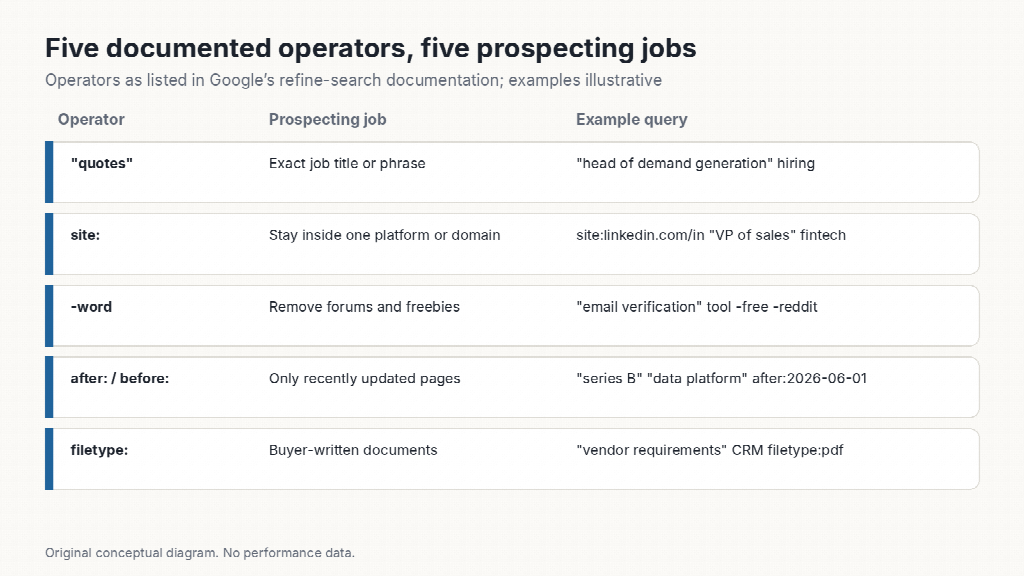 Five documented operators, five prospecting jobs — original conceptual diagram based on Google’s refine-search documentation; example queries are illustrative.
Put the role or the problem in quotes: "head of demand generation" "hiring". Quotes force Google to match the phrase, so you stop sifting through pages that mention demand and generation separately. Combine two quoted phrases to find pages where a company and a role appear together.
Limit to a platform or a company domain. site:linkedin.com/in "VP of sales" fintech surfaces public profiles. site:example.com "careers" finds the hiring page of a specific target. Searching a competitor’s domain for the word “case study” lists their published customers, which is a list of companies that already buy in your category.

Exclude what you do not want: "email verification" tool -free -reddit. One or two exclusions remove most of the forum chatter and freebie roundups, leaving pages written by or about companies.
Google documents after: and before: as filters on when a document was last updated. "series B" "data platform" after:2026-06-01 narrows to recent announcements. A company that published a funding note, a product launch or a new office in the last few months is more likely to be in a buying motion than one whose newest page is three years old. Use the date operators with quoted phrases; alone they return too much.
"vendor requirements" "CRM" filetype:pdf turns up procurement documents, RFP templates and internal guides that people publish without realizing how useful they are to a seller. These documents name the criteria a buyer uses, in the buyer’s own words.
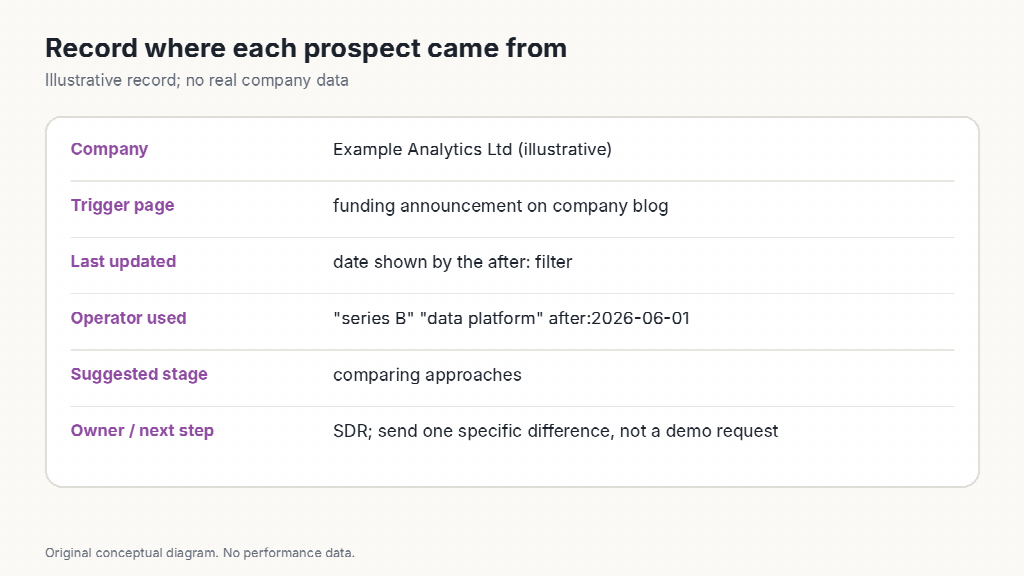 Record where each prospect came from — original conceptual diagram; illustrative record, no real company data.
For every hit, record the company, the page that revealed it, the date it was last updated and which operator found it. The operator tells you why the account is on the list; the page gives the person who writes the first message something specific to refer to. A list of fifty companies with reasons beats a list of five thousand without them.
Operators are only one way to read Google. For a deeper walkthrough of how searches, filters and result features can be used to understand a market before you contact it, the Google search secrets guide covers the techniques in more depth, including the ones that help an SEO team see how a prospect’s own site is found.
When the first-pass list is done, buy or enrich only the fields you cannot get this way: verified email addresses, phone numbers, org charts. The search work has already answered the harder question of which companies deserve the spend.
 AI tools to find & convert leads.
 Send emails at scale