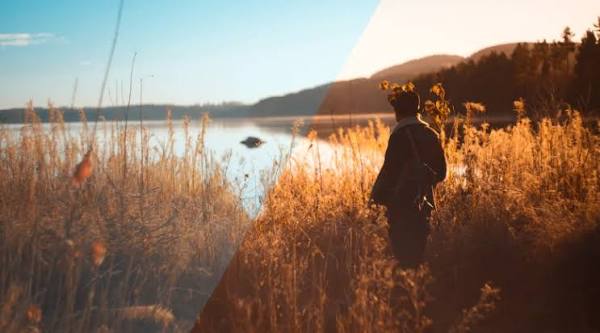
Color work actually splits into two separate jobs that are easy to blur together: correction, fixing exposure and white balance problems and matching footage from different sources so it reads as one consistent world, and grading, deliberately styling that corrected footage with a creative look. Doing them in the wrong order, styling before the underlying footage is actually fixed, means redoing the creative work once the correction catches up. AI-assisted tools have made both stages accessible without a dedicated colorist, but the sequence still matters.
Before any creative decision, footage needs its basic technical issues resolved, exposure that's too dark or blown out, a white balance that skews too warm or cool, and any mismatch between shots that were captured under different lighting or on different cameras. This stage is about neutralizing footage to a consistent, accurate baseline, not making it look distinctive yet. Skipping straight to a stylized look on footage that hasn't been corrected means the style gets applied unevenly, since a color treatment reacts differently to footage that's underexposed than to footage that's properly balanced.
Any project combining footage shot at different times, on different cameras, or under different lighting needs that footage matched to a consistent baseline before a style gets applied on top. An AI-assisted color matching tool can analyze one shot's color and lighting characteristics and apply a comparable correction to another, which removes a large share of the manual, shot-by-shot comparison work a mismatch would otherwise require to catch and fix by eye.


Once footage is corrected and matched, decide the creative style, warmer or cooler, higher or lower contrast, a specific color palette, on a single representative shot before applying anything broadly. Testing a look on one shot first is cheap to iterate on and cheap to abandon if it doesn't work; applying an untested style across an entire project first and discovering it doesn't hold up is a much more expensive mistake to walk back.
Once a look is settled, applying it consistently across many shots is where an agentic, instruction-driven editor genuinely speeds up the process compared with manually adjusting each shot's color individually. Invideo Editor's color and grading tools work directly on the same timeline used for the rest of the edit, and because that timeline treats each shot as a distinct object, an instruction like "apply this look across the whole sequence" or "match this shot's color to the one before it" can be executed precisely rather than requiring a colorist to manually dial in each shot separately. It's a free, browser-based online video editor doing this alongside the same drag, trim, cut, and layer work any editor supports.
A color treatment that looks fine reviewed shot by shot can still reveal a mismatch the moment two shots are seen cut together, since adjacent shots are judged far more strictly than shots separated by other footage. Reviewing the color pass in sequence, not as isolated stills, is what actually catches this kind of subtle mismatch before it becomes visible to an audience.
Color-correcting and styling video with AI-assisted tools works best as two distinct stages done in order: correct and match footage to a neutral, consistent baseline first, then decide and apply a creative style on top of that corrected foundation. Testing the look on one shot before applying it broadly, using an instruction-driven editor to apply that look consistently across many shots at once, and reviewing the result in sequence rather than shot by shot are what turn that two-stage process into something that actually holds together as a finished, professional-looking video.
What's the actual difference between color correction and color grading? Correction fixes technical problems, exposure, white balance, and matches footage from different sources to a consistent, neutral baseline. Grading is the creative decision applied on top of that corrected footage, choosing a specific look, warmer, cooler, higher contrast, a particular palette, deliberately.
Why does the order of correction and grading matter? Because a style applied to uncorrected footage reacts unevenly, footage that's underexposed responds differently to a color treatment than properly balanced footage does. Correcting first means the creative style gets applied to a consistent foundation rather than compounding an existing technical problem.
How can footage from different cameras or shoot days be matched without a dedicated colorist? AI-assisted color matching tools can analyze one shot's color and lighting characteristics and apply a comparable correction to another, removing much of the manual, shot-by-shot comparison a human would otherwise need to do by eye to catch and fix a mismatch.
Why test a color style on one shot before applying it to a whole project? Because iterating on a single shot is fast and low-cost, while discovering that an untested style doesn't hold up after it's already been applied across an entire project is a far more expensive mistake to walk back.
Why review a color pass by watching shots in sequence rather than individually? Because a mismatch between two shots is often invisible when each is reviewed in isolation and only becomes obvious the moment they're seen cut together, since adjacent shots are judged far more strictly by a viewer than shots separated by other footage.
 AI tools to find & convert leads.
  Send emails at scale

