Consumers are tired of highly polished, studio-made commercials. They want to see real people sharing raw, honest opinions. This shift has made User Generated Content (UGC) a standard format for digital marketing.
According to recent industry reports, authentic social proof ads drive up to four times higher click-through rates. However, sourcing real creators is expensive. You have to send product samples, negotiate contracts, and wait weeks for draft videos.
E-commerce brands need a faster way to test ad creatives. This is where automation steps in to bridge the gap. By utilizing By using Predis.ai for UGC video workflow, solo founders can produce videos in minutes instead of weeks.
Many small business owners struggle with complex video editing tools. They also worry about public speaking on camera. Using an automated video creator helps solve these personal roadblocks.
Traditional video production requires expensive cameras, lighting setups, and editing software. This creates a high entry barrier for small businesses.
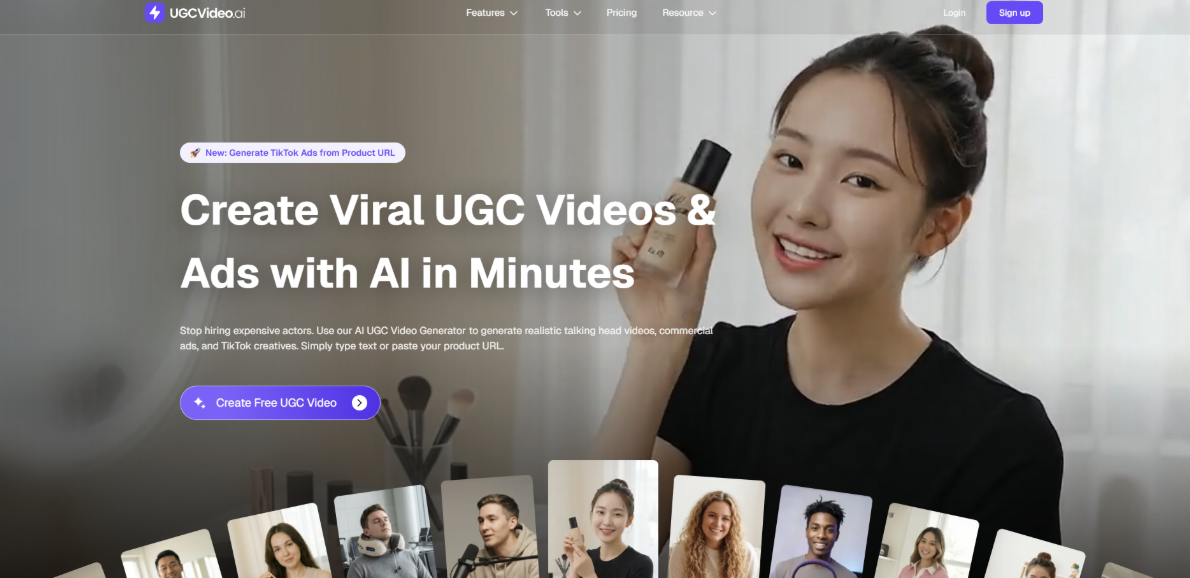
I spent a week testing different platforms to automate my creative testing workflow. One tool that provided consistent results was UGCVideo.ai. It serves as an integrated AI UGC video maker that designs videos featuring realistic digital avatars.
Instead of managing shipping logistics for influencers, you simply input your script and product details. The software handles the voiceover, facial expressions, and basic editing. This approach reduces the cost of producing a single creative iteration to just a few dollars.
For performance-focused marketers, pairing UGCVideo.ai with a TikTok profit calculator makes it easier to forecast margins on each creative variation and decide which ads are actually worth scaling.
My personal test involved generating five different ad hooks for a single product. I wanted to see how quickly the system could render different variations. The entire rendering process took less than fifteen minutes from start to finish.


Following a structured process ensures your generated files are ready for publishing. Let us look at the exact steps to build your campaign assets.
First, you need to input basic details about your product. Describe the main pain point your product solves. This data helps the system understand the target demographic and angle.
Next, select a digital avatar that matches your target audience. You can choose different age groups, ethnicities, and speaking styles. Picking the right presenter makes the message feel more organic.
You can write your own script or let the generator draft one based on your features. I recommend keeping the hook under three seconds to prevent viewers from scrolling past. Use short, punchy sentences for the best results.
Once you finalize the settings, click render to generate the raw video file. The processing time typically takes less than ten minutes. Review the pronunciation and pacing before downloading the final file.
The quality of your video depends heavily on how you write your instructions. Vague inputs lead to generic and unconvincing advertisements.
If you write "make an ad for a water bottle," the system will generate standard marketing jargon. This lacks the personal touch required for high-converting social media ads. Give the system a specific scenario, such as a busy professional working at a desk.
Instead, write your script from a personal perspective. Use phrases like, "I used to struggle with dehydration until I found this." This style sounds like a genuine recommendation from a friend.
You can guide the digital actor's voice by adding specific tone markers. For example, instruct the system to use a "confident and casual" tone rather than a formal sales pitch. This matches the native feel of TikTok and Instagram Reels.
To verify if these automated ads actually convert, I ran an A/B test for a specialized kitchen gadget brand. I compared traditional static image ads against videos created using an AI UGC ad creator.
We allocated a small budget of $500 split evenly between the two campaigns over seven days. The results showed a clear difference in user engagement metrics.
The campaigns using the automated AI UGC Video Generator saw a 34% lower Cost-Per-Click (CPC). Additionally, the video-based ad sets generated a 2.1x increase in return on ad spend (ROAS).
We also noticed that user comments on the generated ads were highly positive. Most viewers did not realize the presenter was generated by a software tool. This proof shows that modern digital avatars can hold attention effectively.
Because we could generate multiple variations in minutes, we identified the winning hook on day two. This speed allowed us to turn off underperforming ads before wasting our budget.
Automation is highly effective for testing ideas, but it should not completely replace human oversight. Use the software to handle the repetitive drafts while you focus on the overall strategy.
Always review the output for unnatural audio loops or awkward facial transitions. A quick final edit can prevent your brand from looking too artificial.
Combine generated presenters with real b-roll footage of your actual product in use. For fashion and apparel brands specifically, having high-quality product visuals is a prerequisite before any ad creative workflow. Tools like Fashion Diffusion AI allow clothing brands to generate professional model imagery, virtual try-ons, and flat lay shots without organizing a photoshoot — giving you clean, ad-ready product assets to feed directly into your UGC video production pipeline. This hybrid approach offers the best balance of speed, authenticity, and visual proof.
Keep your video files organized in clear directories. This makes it easier to run long-term split tests across your social media channels.
 AI tools to find & convert leads.
  Send emails at scale

