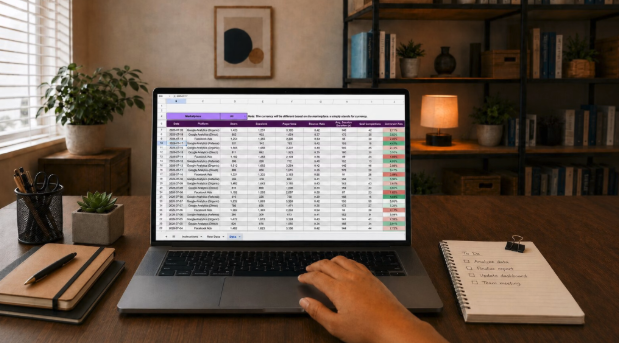
If you've ever spent a Friday afternoon hunting for a receipt, chasing a client who swears they already paid, or retyping the same delivery details into three different places, you already know the feeling. The tool you use for your books shapes how your whole week goes.
I've watched plenty of small business owners pick software because a friend uses it or because the ad looked clean. Six months later, they're still exporting spreadsheets and fixing mistakes by hand. The software wasn't bad. It just didn't fit the way they work.
So let's skip the long feature checklists for a minute and start somewhere more useful: your own business.
Before you compare a single product, grab a notepad and follow one real job from the first phone call to the money landing in your bank account.
Write down every step. Who takes the order? Where does it get recorded? Who sends the invoice, and how do you find out when it's paid? It sounds basic, but most people have never actually written this out. Ask the people who handle each step, too. They usually know exactly where the delays are. Once you do this, the weak spots jump off the page.
Look for any detail that gets entered more than once. A customer name typed into a booking sheet, then an invoice, then a payment note gives you three chances for a typo. Every double entry is a place where the right tool could save you time, and where the wrong one will keep costing you.

Your books are only as good as the information flowing into them. For a lot of businesses, that information starts a long way from the accounts desk.

Picture a small freight company. A job starts with a load request. Someone decides which driver and truck will take it, the delivery happens, and only then does accounts get involved. If the dispatch side is messy, the invoice will be late or wrong no matter how good your bookkeeping software is.
That's why it pays to look at the tools upstream too. PCS describes its Dispatch Manager as matching freight to drivers automatically using each company's own business rules. Tools built for AI dispatching for carriers can also recommend a driver, truck or carrier for each load, while the dispatcher still makes the final call. When that step runs smoothly, accounts gets cleaner information to work with.
Here's a simple test. A customer moves a delivery from Thursday to Friday. Does that change reach the driver, the customer and the person preparing the invoice? If accounts is still working from Thursday's note, you've got a billing mix-up waiting to happen. Whatever you choose, ask how updates travel from the job to the books.


Feature lists can feel endless. If you want a quick overview of what this kind of software usually handles, from budgeting to payroll, this guide on accounting software basics is a handy starting point. Then, instead of reading every line, focus on the jobs that eat up your week and ask whether the software makes each one shorter.
Reconciliation simply means checking that what's in your books matches what's in your bank. Done by hand, it's slow, fiddly and very easy to put off until the end of the month. Look for software that matches transactions for you and leaves you to review the result. It should also make it easy to spot the odd payment that doesn't line up.
Nobody enjoys sending "just following up" emails. Good reminder tools take that job off your plate while still letting you step in when needed. That matters when a customer is querying a charge, because a cheerful automated nudge in the middle of a dispute rarely goes down well.
If you run a business in Australia, you'll know the Business Activity Statement (BAS) can swallow days of your time. Software that helps you prepare as you go, rather than in one last-minute rush, can take a lot of stress out of tax time.
Plenty of bookkeeping tools now include AI features, and some are genuinely useful. MYOB, for example, offers AI-powered tools that match bank transactions in the background, suggest invoice reminders, and help prepare BAS by catching missing receipts and flagging anything unusual. Two of these, bank matching and AI BAS, are still in beta, and AI BAS is currently available to Australian customers on the Lite and Pro plans. The part I like most is that you stay in control: you can review, change or ignore any suggestion, and AI BAS only updates your books as you approve its suggestions.
Most businesses run on more than one app. Before you sign up, check that the connection you need actually exists, what information it passes across and whether your plan includes it. A long list of integrations doesn't guarantee yours is on it.
Any tool that suggests changes to your books should show you why. Look for software that lets you see what each suggestion was based on and override it when it's wrong, because it will be wrong sometimes. Think of it like a new team member. You'd check their work closely for the first few weeks before trusting them with more. Treat software suggestions the same way.
A "beta" label means a feature is still being tested. That's not a dealbreaker, but check whether it's available on your plan and in your country before you build your routine around it.
The safest way to choose is to test one small piece first rather than moving everything over at once.
Choose the job you dread most, whether that's matching payments or chasing invoices, and try the new tool on just that for a month. Keep your old process running alongside it so nothing slips through the cracks while you test.
Note how long the task takes now and how often you have to fix mistakes later. Then compare after the trial, counting the time you spent checking the software’s suggestions too. A quick weekly review, like the one often recommended for automating your finances, helps you catch anything the tool got wrong before it piles up. If it isn’t saving you real time, keep looking.
The right pick isn't the one with the longest feature list. It's the one that fits how your business already works, cuts down on double handling and keeps you in charge of the final numbers. Start with one real job, test one task and let the results guide your decision.
If you're typing the same details into several places, chasing payments by hand or dreading every tax deadline, those are clear signs. Map one job from start to finish and see where the time goes.
It can save time, but it can still get things wrong. Choose tools that show what each suggestion is based on and let you approve or override it before your books change.
Not necessarily. Just check availability on your plan and in your country, and keep your current routine as a backup until the feature proves itself.
A month on one task usually shows a clear pattern. Track the time spent and the mistakes fixed, both before and after the trial.
 AI tools to find & convert leads.
  Send emails at scale

