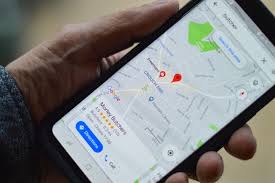
If you run a small or midsize business, getting found online by local customers is crucial. People don’t just search for businesses—they search for nearby solutions. And if your business isn’t showing up in local search results, you’re missing opportunities.
Local SEO is your ticket to appearing in these searches. Combined with a well-optimized Google Business Profile (GBP), it can drive more calls, foot traffic, and revenue. This guide will walk you through everything you need to know to get started.
Local SEO is a type of search engine optimization focused on helping businesses show up in location-based searches. Think “pizza near me” or “plumber in [your city].” Unlike traditional SEO, which focuses on global or national searches, local SEO targets people who are nearby and ready to take action.
Google decides which local businesses appear based on three main factors:
Proximity – How close you are to the searcher.
Relevance – How well your business matches the search query.
Prominence – How well-known or established your business is online.
You’ll often see local results in features like the Local Pack, Google Maps, and the Local Finder. Optimizing for these can give you more visibility where it matters most.
3. What Is a Google Business Profile?
A Google Business Profile is a free listing that helps people find and interact with your business online. It includes key information like your address, phone number, hours, website, services, and photos. A well-optimized profile shows up in Google Maps, the Local Pack, and organic searches.
Your GBP is more than just a listing—it’s a hub for customer interaction. People use it to:
Call your business
Get directions
Visit your website
Book appointments
Ask questions
Leave reviews
Keeping your GBP updated and complete is essential. Some businesses manage this manually, but others use tools to simplify the process. For instance, some businesses use tools like Paige by Merchynt to automate routine tasks on their Google Business Profile, such as keyword-rich posts, optimized images, review responses, and even citation syncing across directories. This isn’t an endorsement—just an example of what’s available. However, Paige goes beyond simple scheduling and help with posts and reviews by continuously analyzing top-ranking profiles and applying best-practice optimizations to improve visibility and performance in local search.


Optimizing your GBP brings several advantages:
More visibility – Your business shows up in Google Maps and the Local Pack.
Increased customer actions – People can call, get directions, or visit your website directly from your profile.
Trust and credibility – Complete information and positive reviews build customer confidence.
Better rankings – An optimized profile helps Google understand your business and improve your local search position.
Even small updates—like adding photos or posting about new services—can make a big difference in how your business is perceived online.
Getting started with your GBP is straightforward. Follow these steps:
Go to Google Business Profile and claim your business if it’s already listed. If it isn’t, create a new profile.
Business name – Use your real business name, exactly as customers know it.
Categories – Choose a primary category that best describes your business. You can add secondary categories too.
Address vs. service area – Include your address if customers visit you. If you go to them, define your service area.
Hours – Add regular, holiday, and special hours.
Google will ask you to verify your profile. Common methods include:
Postcard by mail
Phone
Email
Video verification
Verification ensures Google knows your business is real and helps you gain full control of your listing.
Once your profile is claimed, it’s time to optimize.
Pick the category that best describes your main service. This helps Google match your profile with relevant searches.
Add related categories if they reflect services you offer. But don’t overstuff—only include what’s accurate.
Make sure your Name, Address, and Phone number are consistent across Google and other online directories. Consistency improves local rankings and prevents customer confusion.
Write a clear, concise description of what your business does, who it serves, and what makes you unique. Keep it simple—customers should understand your business in a few seconds.
High-quality images boost engagement. Include:
Exterior and interior shots
Your team at work
Products or services
Profiles with photos get more clicks, direction requests, and calls.
List your key products or services with clear names and descriptions. This makes it easier for Google to match your business with relevant searches.
Add relevant attributes like “Women-led,” “LGBTQ-friendly,” or “Online appointments” to help customers find what they value.
Once your core info is complete, you can take your GBP further.
Posts let you share news, offers, or updates directly on your profile. Posting regularly keeps your profile active and engaging.
Answer questions from customers promptly. This not only helps the person asking but also provides useful info to others.
Enable messaging or online booking if applicable. Make it easy for people to take action directly from your profile.
Use UTM parameters on links to your website so you can track traffic from your GBP in Google Analytics.
Link to dedicated landing pages on your website that provide more details about your services in each area you serve. This supports local SEO efforts.
Keyword stuffing in your business name or description
Duplicate listings
Inconsistent NAP information
Avoiding these mistakes helps maintain your profile’s credibility and rankings.
GBP optimization alone isn’t enough. Local SEO extends across other online touchpoints.
Directories like Yelp, Yellow Pages, or industry-specific listings reinforce your business info. Ensure your name, address, and phone number match exactly across all platforms.
Include location-specific keywords on your website. Create location pages for areas you serve and use schema markup where possible.
Reviews influence both rankings and customer trust. Ask satisfied customers for reviews and respond to them professionally.
For businesses that receive a high volume of user-generated content such as review platforms, forums, or social media pages AI‑powered moderation tools can be a valuable asset. These solutions automatically filter out spam, abusive language, or off‑topic comments, ensuring that only relevant and appropriate content appears on your profiles. This saves time and helps maintain a positive online reputation. For example, services like Utopia Analytics offer AI moderation that can handle multiple languages and adapt to your specific moderation policies.
Build links from local blogs, news outlets, or community websites. Local backlinks strengthen your online presence and authority.
As a supplementary strategy, consider partnerships with local or niche influencers. A collaboration with a relevant influencer can generate authentic content, social proof, and direct mentions or links from their platforms, all of which can amplify your local visibility and credibility to a targeted audience. For specialized campaigns, some businesses choose to work with an influencer marketing agency to streamline the process of finding the right creators and managing collaborations.
Measuring your efforts is critical to improvement.
Track profile views, searches, calls, direction requests, and clicks. This helps you see what’s working and where to improve.
Monitor website traffic coming from your GBP, including which pages visitors land on and how they interact with your site.
Use tools to check how your business ranks for local keywords. This helps identify opportunities to improve.
If calls are a key lead source, track them to see how many come directly from your GBP listing.
Different SMBs can use GBP and local SEO in unique ways:
Restaurants – Highlight menus, takeout options, and special events.
Home services – Show service areas, before-and-after photos, and customer reviews.
Medical practices – Include services, office hours, and online booking.
Retail – Feature products, promotions, and in-store pickup options.
Even small businesses without large marketing teams can benefit by keeping profiles accurate and active.
Here’s a simple checklist to get started:
Claim or create your GBP
Verify your listing
Add accurate business info and hours
Choose primary and secondary categories
Write a clear business description
Upload quality photos and videos
List products and services
Add business attributes
Post updates regularly
Respond to Q&A and reviews
Track performance using insights and analytics
Following this checklist keeps your business visible and competitive in local searches.
12. Conclusion
Local SEO and a well-optimized Google Business Profile are the most effective ways for SMBs to attract nearby customers. Even small updates—like posting weekly or adding new photos—can have a big impact.
By focusing on complete, accurate information and consistent engagement, you can increase visibility, build trust, and drive more actions from your profile. You can manage everything manually or use supportive tools to simplify maintenance. Either way, starting today gives your business a better chance of being found by local customers when they need you most.
 AI tools to find & convert leads.
  Send emails at scale

