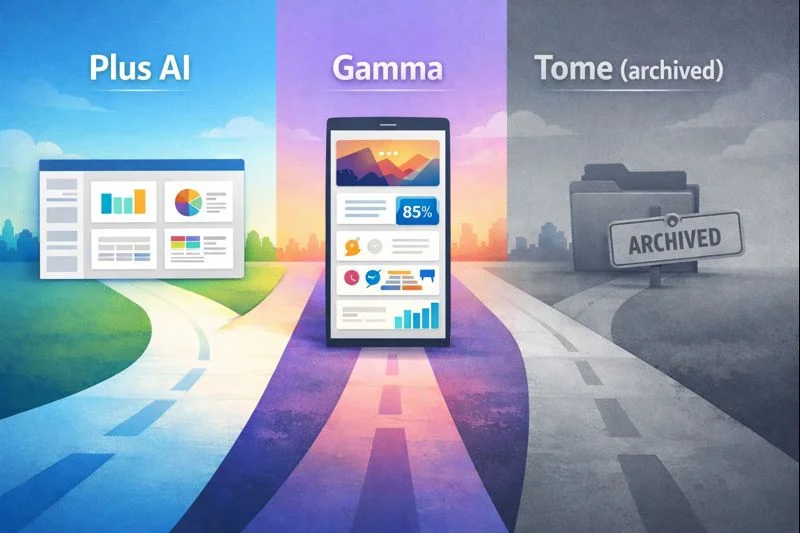
Blank slides still drain hours in 2026. AI generators promise decks in seconds, yet many vanish just as fast; Tome’s editor, for instance, closed on April 15, 2025.
If you need client-safe slides today, Plus AI deserves a look. The add-in bolts into Google Slides and PowerPoint, so every draft inherits your brand rules without another login.
We’ll:
Compare five leading tools at a glance.
Spell out criteria business users care about—PPTX fidelity, template control, export pain.
Put Plus AI head-to-head with Tome, then evaluate Gamma, Beautiful.ai, and Canva.
Name clear winners by use case, from sales decks to QBRs.
Ready to reclaim your slide hours? Let’s start with the side-by-side snapshot that separates contenders from distractions.

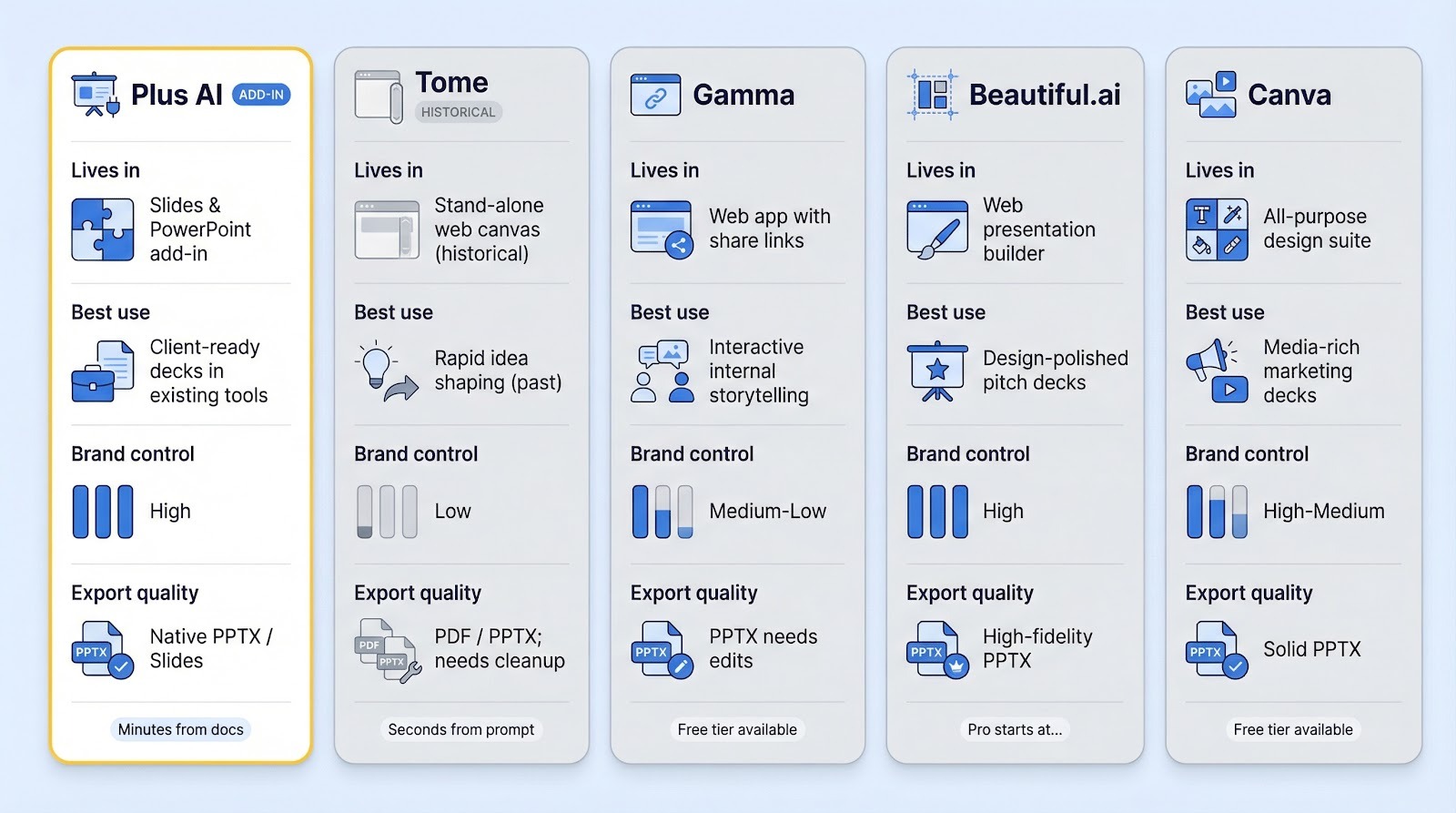
Before we compare workflows, it helps to view every contender in one place. Scan the grid below, note where a tool fits (or misses) your needs, and keep that lens handy as we move deeper.
| Tool | Lives in | Best use | First-draft speed | Brand control | Export quality | Starting price* |
| Plus AI | Google Slides & PowerPoint add-in | Client-ready decks inside existing software | Minutes, especially from docs | Uses your master template | Native PPTX / Slides | $10 user / month |
| Tome† | Stand-alone web canvas | Rapid idea shaping (historical) | Seconds from a prompt | Minimal, generic themes | PDF / PPTX; needs cleanup | Discontinued |
| Gamma | Web app with share links | Interactive internal storytelling | ~30 seconds | Basic color & logo themes | PPTX needs edits | Free tier, then $20 |
| Beautiful.ai | Web presentation builder | Design polish at speed | Minutes via DesignerBot | Locked brand themes | High-fidelity PPTX | $12–$15 |
| Canva | All-purpose design suite | Media-rich marketing decks | Minute via Magic Design | Robust brand kit | Solid PPTX | Free, Pro at $12.99 |
*Prices current February 2026.
†Tome shut down its editor on April 15, 2025; details included here for context.
Keep this table open in another tab or print it, because every insight that follows maps back to these core trade-offs.
Choosing a slide generator is not a beauty contest. Themes matter, but the real test is whether a deck survives legal, design, and the client’s inbox without falling apart. We put each product through a focused trial built around daily business needs.
First, we checked workflow fit. Does the tool live inside software your team already opens, or does it force everyone to learn a fresh interface? Plus AI scored here because the Plus AI presentation maker runs natively inside Google Slides and PowerPoint, a design choice that has already earned it more than one million installs and a 4.6-star marketplace rating. Gamma and Beautiful.ai require a separate canvas, while Canva assumes you already spend time in its design hub.
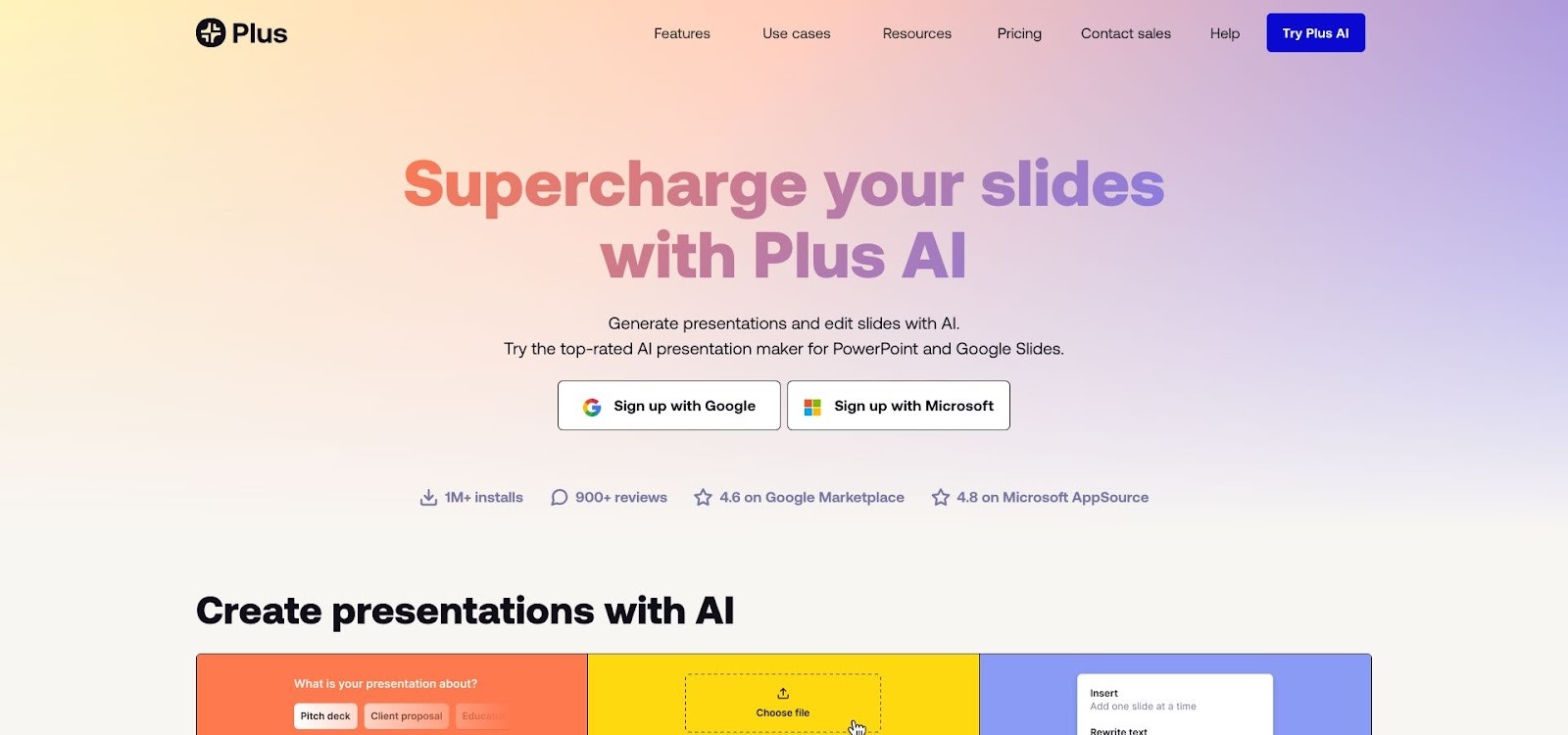 Plus AI Presentation Maker Homepage Screenshot Inside Slides and PowerPoint
Next came speed to first draft. We timed a ten-slide outline with real copy. Web-first tools such as Tome (before it closed) and Gamma produced slides in under a minute. Plus AI needed a few extra seconds to process a Word doc, but that time was earned back when no reformatting was needed.
Speed means little if the content reads like boilerplate. We rated content credibility: does the AI stick to your source text, or does it improvise? Tools anchored in a supplied document, again Plus AI, stayed accurate. Prompt-only tools sometimes hallucinated numbers or generic copy, which led to extra edits.
We then examined brand and export fidelity. Could we lock fonts, colors, and logo position, and would a PPTX export stay intact? Many web tools fell short. A Skywork review of Tome and Gamma cites repeat cleanup after export, especially for strict PowerPoint hand-offs. Native add-ins avoid that risk by generating slides that are already true PPTX or Slides files.
Finally, we looked at collaboration and price. Real-time co-editing, comment threads, and seat costs influence adoption. Free tiers let us explore, but we weighed value over sticker price; saving ten hours of designer time justifies a modest subscription.
With those filters in place, clear winners emerged for each use case, as you will see in the next sections.


Picture two very different mornings.
In Scenario A, you open Google Slides, click a side panel, and Plus AI turns last quarter’s report into a deck that already matches your corporate template. You tweak a headline, ping a teammate for a comment, and finish before the coffee cools.
Scenario B recalls the old Tome routine. You type a prompt, watch a web canvas grow into a scrollable story, then spend thirty minutes exporting to PowerPoint and fixing fonts so the deck passes brand review, only to remember the service went dark in April 2025.
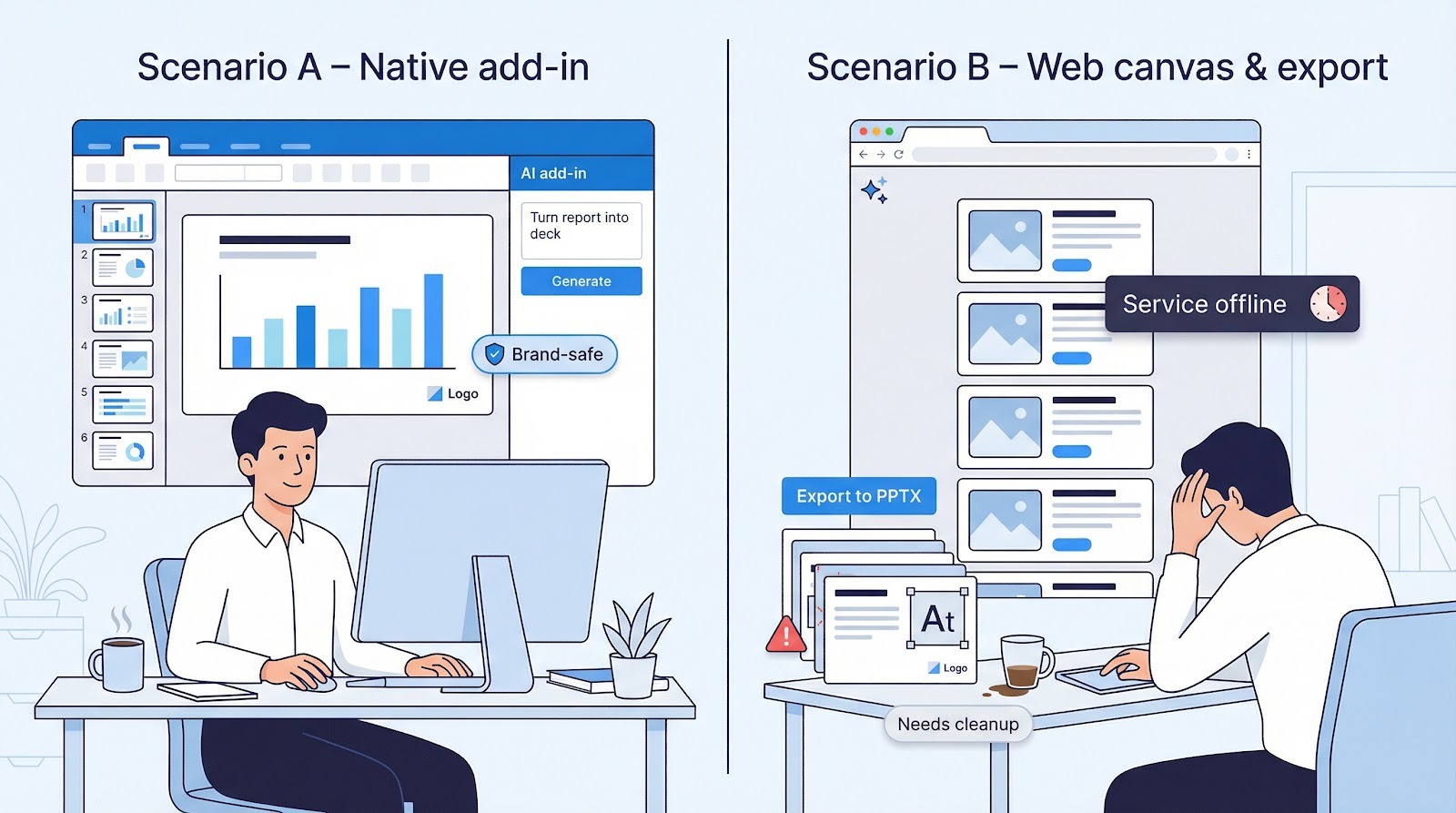
Those scenes capture the core difference.
Plus AI was built for teams that live in Slides or PowerPoint and follow brand guidelines. It excels when accuracy, template fidelity, and smooth hand-offs matter. Think client proposals, QBRs, or any file that lands in a shared drive.
Tome, at its peak, served rapid ideation and personal storytelling. Solo founders and teachers liked its visual flair and share links, and they worried less about long-term upkeep.
If your daily workflow relies on collaborative, on-brand files, Plus AI is the logical fit. If you need a quick creative spark and do not require ongoing product support, Tome’s archived approach once had charm but no longer meets business needs.
With that context in place, let’s see how each tool behaves once you start building slides.
Open Plus AI, and nothing feels different. You are still in Google Slides or PowerPoint, dragging elements as usual. The only sign of change is a side panel where you ask the assistant to “draft slides from this doc” or “rewrite that bullet.” No new login, onboarding video, or extra muscle memory is needed. Everyone on the team can co-edit in real time because the file lives in the company drive, not in a vendor silo.
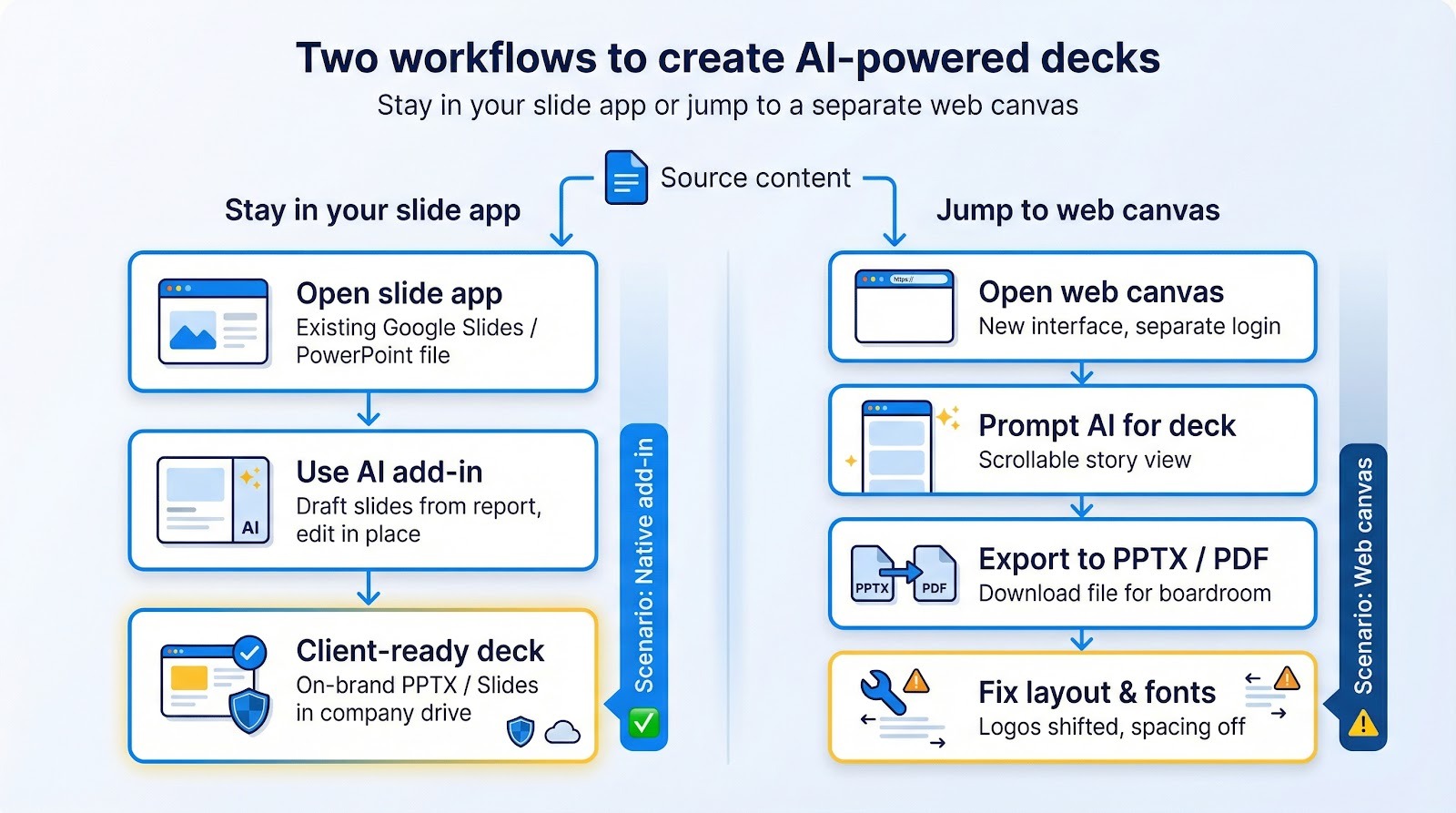
Tome followed the opposite path. It loaded a blank web canvas that resembled a social story more than a classic deck. Cards stacked vertically, animations arrived prewired, and embeds flowed freely. Novel? Yes. Familiar? Not at all. To present in a boardroom you had to export, reopen in PowerPoint, and hope the layout survived. That extra step cost more than time; it introduced risk. Fonts broke, logos shifted, and IT flagged yet another sharing link.
If your workflow already depends on Slides comments and tracked changes in .pptx files, Plus AI feels invisible in the best way. Tome’s interface inspired on day one, but it never blended into enterprise routine, and now the lights are off for good.
Plus AI treats your slide master like protected territory. Because it works inside your template, every new slide inherits approved fonts, colors, and layouts. Charts stay editable, icons remain vector, and tables behave like normal PowerPoint objects. When we fed Plus AI a ten-page quarterly report, the assistant surfaced the right KPIs, added suggested visuals, and, importantly, avoided inventing numbers. We still tightened copy, but the deck was board ready.
Tome’s drafts felt image focused: big hero shots, sparse copy, and smooth transitions. Fine for a brainstorm, less so for a financial review. Accuracy depended on the single prompt you typed. Without a source doc, the AI often inserted generic placeholders, which is risky for clients. Exporting to PPTX introduced more pain; text boxes shifted, background images blurred, and slide dimensions reset. Each fix erased the time saved earlier.
Bottom line: Plus AI produces a conservative, editable deck that looks like your team built it. Tome offered visual flair but required double work to reach enterprise polish, and the platform is now closed.
Draft one is never final. The real question is how much friction sits between draft and delivery.
With Plus AI, that friction is minimal. You stay in Slides or PowerPoint and simply type, drag, and reorder as usual. If copy feels wordy, highlight a bullet, choose “Edit with AI,” and ask for a tighter version. The assistant rewrites the text in the same font and size without breaking the layout or opening another window. Need a new layout? Follow the same steps. You stay in control while the AI handles routine tweaks.
Tome offered only two options: regenerate the whole card or jump into manual edits. If tone missed the mark, a second AI pass replaced lines you liked. Fine-tuning, such as trimming a sentence or swapping an image, felt slow. Many users exported to PPTX to regain normal editing, which abandoned Tome’s design engine and doubled the work.
We timed a real fix: trimming a sales metric slide from 60 words to 30. In Plus AI, one prompt and ten seconds solved it. In Tome, the same change required a manual rewrite, two alignment nudges, and a new export. Multiply that across a twenty-slide deck, and the quick tool starts to feel slow.
For teams that rely on last-minute tweaks, staying native wins. Plus AI lets you refine without restarting, while Tome forced a reset each time inspiration hit and now offers no path at all.
A slide deck is a brand ambassador in PDF form. One rogue font or off-hue logo hurts credibility instantly. Plus AI avoids that risk by working inside your master slides. The assistant cannot add a teal headline if teal is not in your palette, and it cannot move your logo to a forbidden corner because the layout is locked. We even swapped templates mid-project; Plus AI applied the new theme on the next generate without issue.
Tome never touched your corporate template. It offered a few modern themes, fine for a classroom but risky for a Fortune 500 RFP. You could change colors, yet full brand governance—approved typography, legal footer, slide codes—remained out of reach. Most teams exported, reapplied the house style in PowerPoint, and hoped slide nineteen stayed intact.
Shelf life matters, too. Plus AI relies on two software giants that are unlikely to disappear. Tome’s sunset showed what happens when a platform pivots: every workflow built on it vanished. Native tools may seem plain, yet in enterprise settings dependable beats flashy then forgotten.
If you enjoyed Tome’s instant storytelling but still want an active product, Gamma feels like the natural successor. Drop a prompt, or paste a Notion outline, and thirty seconds later an interactive deck appears, complete with live embeds and a scrollable flow that reads more like a micro-site than a slide show.
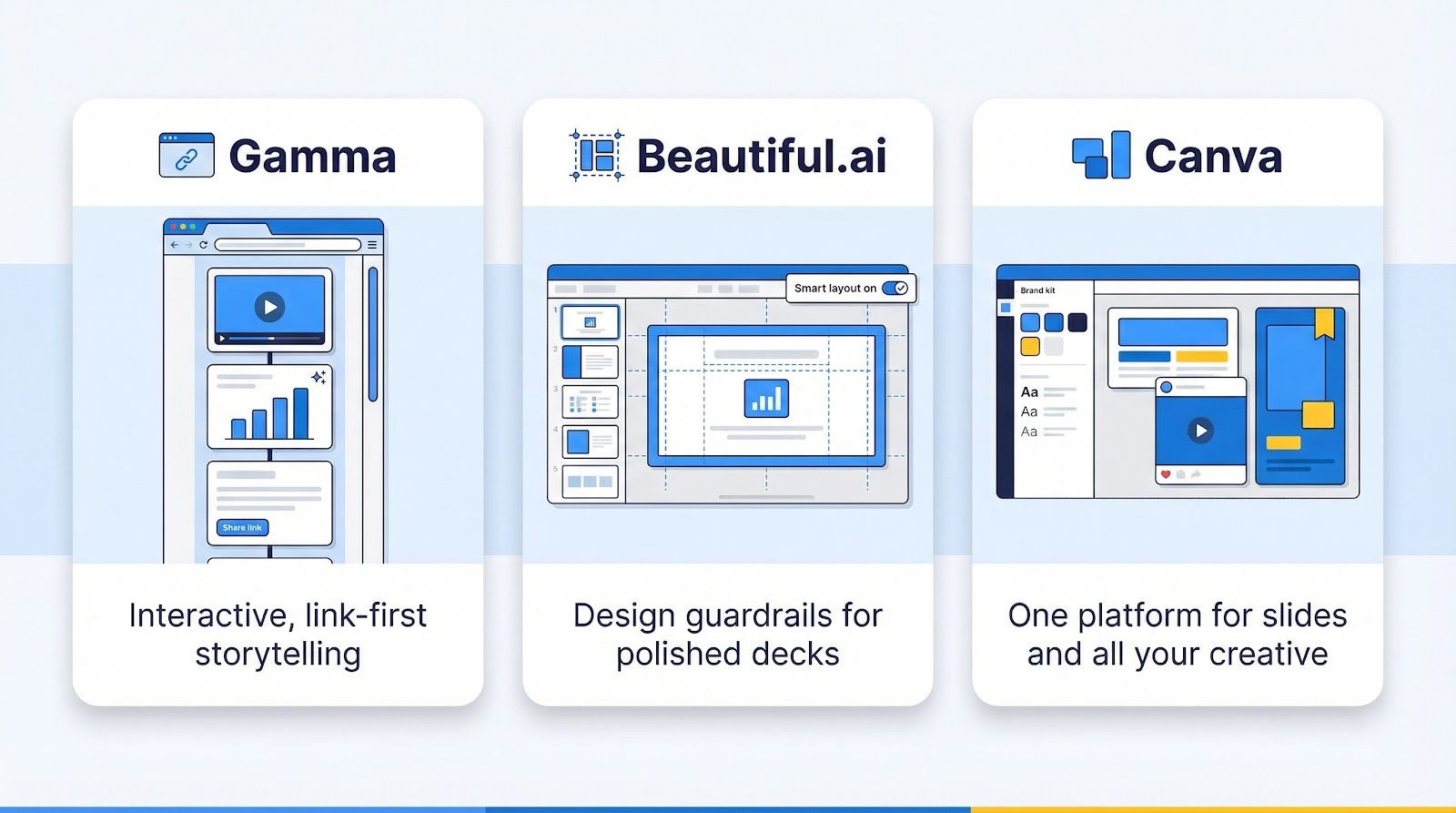
That web DNA is Gamma’s strength. Collaboration is instant because every deck is a share link. Change a stat, and everyone sees the update in real time. For internal strategy jams or async vision memos, this fluid canvas keeps momentum high.
The trade-off is brand governance and export polish. Gamma does provide PPTX download, yet fonts, spacing, and layout often need a tidy-up before meeting the CFO. If your deliverable must land as a pristine PowerPoint, budget time for cleanup. For brainstorming sessions, though, few tools transform loose ideas into a presentable story faster.
Open Beautiful.ai, and the first thing you notice is restraint. Text boxes snap into place, charts resize with precision, and stray elements stay inside the smart grid. The platform’s “DesignerBot” turns a short prompt into a styled outline, but the real value appears after generation: guard-railed layouts prevent non-designers from breaking the aesthetic.
Teams with inconsistent slide hygiene appreciate this structure. Marketing can lock brand colors and fonts, then give sales a template that stays on spec. Exports hold up, too; the PPTX we downloaded opened with no font substitutes and only minor text-box nudges.
Creative freedom bends to the grid. If you crave pixel-level custom compositions or intricate motion paths, Beautiful.ai’s guardrails may feel tight. When the goal is “look polished now,” the tool delivers a designer’s eye on autopilot, and the monthly fee is far lower than hiring one.
Canva is not a presentation specialist; it is a creative universe where slides are one planet. That breadth is its edge. Need a banner, social graphic, and a fifty-slide campaign recap? All share the same brand kit, photo library, and drag-and-drop interface.
Canva’s “Magic Design” jump-starts a deck in about a minute, pulling stock images and layouts that feel current. From there, manual control takes over. You can swap a background video, animate a chart, or resize elements with pixel-level freedom, benefits rigid slide generators rarely allow.
Freedom can invite inconsistency. Without design discipline, teams risk slides that mix three fonts and four color schemes. Canva tries to enforce order with locked brand kits, but users must opt in and stay alert. On export, the PPTX holds up well, though text boxes sometimes shift a few pixels.
For marketing squads already living in Canva, adding presentations feels effortless. The library of icons, videos, and templates saves hours spent hunting assets elsewhere. Finance or operations teams that need strict templates and dense data tables may find Canva more playground than production line. Choose it when visual variety and cross-format efficiency outweigh pixel-perfect conformity.
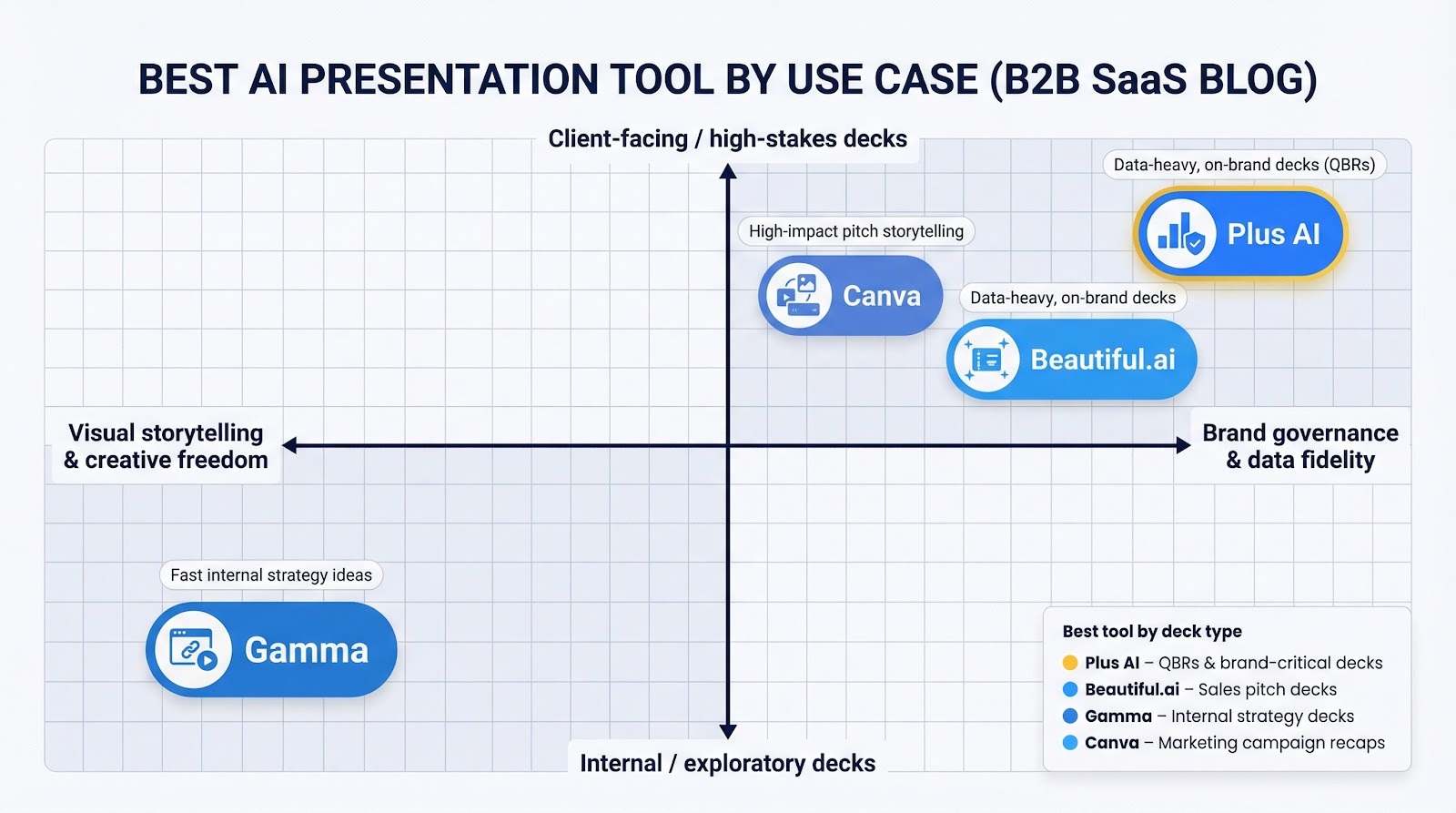
A pitch lives or dies on first impressions. Buyers scan slides in seconds, judging story and polish before you speak. That is why Beautiful.ai leads here. Its design guardrails turn plain copy into persuasive spreads, and DesignerBot surfaces icons, charts, and color harmony that feel agency made.
During tests we entered a short product blurb and target persona. In three minutes Beautiful.ai produced a twelve-slide narrative: problem, solution, proof, ask. Layouts adjusted automatically as we added testimonials, keeping white space and hierarchy clear. The final deck looked as if it spent a weekend with a creative director, not fifteen minutes with a marketer.
Plus AI can also draft a pitch. Feed it a one-pager, and you receive a coherent deck inside your company template. If boardroom formality matters more than artistic flair, Plus AI is a safe bet. When the goal is to impress visually, Beautiful.ai’s aesthetics edge ahead and cut hours of design review.
A QBR is about trustworthy numbers delivered on slides that match last quarter’s template to the pixel. Plus AI owns this space.
Drop the raw performance doc into the add-in, and Plus AI maps each section to new slides, pulls KPIs into editable charts (if you want to go deeper on AI chart generators for PowerPoint, this breakdown is helpful), and applies the approved master. Because it runs inside Slides or PowerPoint, the finance lead can double-check formulas, the CSM can add context in comments, and the brand team knows every color is correct.
We tested export risk by sending the finished deck to a partner who opened it in desktop PowerPoint. No font swaps, missing icons, or broken chart links appeared. The result felt handcrafted, yet the heavy work took minutes.
Gamma or Canva can summarise data, but both need extra steps to meet strict style guides. Beautiful.ai’s layouts look sharp, though its automated charts limit deep dives. When accuracy, template fidelity, and smooth collaboration matter most, Plus AI is the shortest route from data dump to board-ready QBR.
Brainstorm sessions thrive on speed, not polish. Ideas shift, slides morph, and half the team reviews the deck after the meeting. Gamma fits that rhythm.
Type a rough north-star objective and a few bullets, and Gamma spins a scrolling deck that feels closer to a living document than a static show. Everyone on Slack can click the link, leave inline comments, or ask the AI for a new angle on slide five. No one hunts for version 4_final.pptx.
Because the output is web native, multimedia embeds stay live: Figma frames, YouTube clips, even Airtable grids. That interactivity sparks richer discussion during planning reviews. When leadership needs a traditional PowerPoint for archival, you can export, but be ready for a quick tidy-up of fonts and spacing.
If your strategy workshop values fluid collaboration over brand rigidity, Gamma keeps momentum high and meeting fatigue low. Shape the story there, then move to Plus AI or a designer once the narrative settles.
Marketers juggle screenshots, KPIs, and creative assets in one deck. The job calls for a tool that holds brand kits and a deep media library together, so Canva takes this category.
Launch Magic Design, drop your campaign theme and a few hero images, and Canva suggests a slide series that already features brand colors and engaging visuals. Need to embed a short demo video or social post? Drag and drop from the same dashboard. The result feels polished without a single stock-photo hunt.
Because Canva supports every format your team touches—Instagram reels, infographics, posters—consistency carries across the entire recap. The CMO sees creative in context, analysts see clean charts, and the brand team sees every color on spec.
For dense data you can still export to PowerPoint, where the insights crew adds advanced charts. Starting in Canva’s asset-rich environment saves hours of screenshot wrangling. When a recap must look sharp and reuse collateral fast, Canva turns marketing chaos into a coherent story.
No add-in to install, no new vendor to vet. If your company already pays for Microsoft 365, Copilot appears in the ribbon and asks, “What would you like to make?” Type “Create a five-slide overview of our FY25 roadmap,” and PowerPoint produces a draft in seconds.
That native reach is Copilot’s biggest lure. IT approves nothing new, legal worries less about data flow, and every colleague sees the same buttons without extra training. For quick internal drafts, outlines populate, speaker notes appear, and images land in placeholders.
The catch shows up during slide review. Copilot often plays it safe, delivering layouts that resemble a default 2010 template. Content stays generic unless you paste detailed source text, and the AI rarely matches brand fonts or advanced charts on the first try. We spent ten minutes reformatting a five-minute draft, faster than starting cold, yet slower than Plus AI’s brand-aware output.
Pricing adds another wrinkle. Early reports suggest Copilot will sit behind a premium add-on, so not every seat may receive access. Early adopters praise it for brainstorming, but still lean on dedicated tools for polished, client-facing work. In short, Copilot is a convenient in-house starter, not the final product.
If your organisation runs on Google Workspace, Duet AI now hides in the Insert menu with a promise: “Generate a full presentation from a topic.” Type a phrase, wait a moment, and Slides fills with themed layouts and stock images from Google’s library.
Convenience matches Copilot: zero setup, instant availability for anyone whose licence includes the feature. For teams glued to Docs and Sheets, Duet’s ability to pull charts or paragraphs from those files saves real time.
Nuance is still missing. Duet creates serviceable outlines, but each slide leans on generic icons and a headline-plus-bullet pattern. It does not respect custom masters the way Plus AI does, so brand reviewers often reach for the red pen. Without a conversational edit tool, you refine slides the old-fashioned way—manual typing.
Early adopters use Duet as an ideation spark, not a finished product. They generate content, copy the bones into a template, and often hand the file to Plus AI for tightening. If you need a free jump-start inside Google’s ecosystem, Duet helps. If you need client-ready polish, plan an extra pass with a specialist tool.
If you’re building real business decks in 2026, the “winner” is mostly about where you work and how strict your brand rules are. Plus AI wins for client-facing slides because it lives inside Google Slides/PowerPoint and preserves your master template with minimal export risk. Tome is no longer a contender for business use since the editor shut down on April 15, 2025. For the rest: Gamma excels at fast, link-first internal storytelling, Beautiful.ai produces the most “polished-by-default” pitch visuals, and Canva is best when you need media-heavy marketing recaps with a big asset library. Pick the tool that minimizes cleanup for your most common deliverable—and you’ll actually reclaim those slide hours.
1) Is Plus AI better than Tome for business decks?
Yes—mainly because Plus AI is still active and works inside Slides/PowerPoint, so drafts inherit your template and export cleanly. Tome’s editor was discontinued (shutdown on April 15, 2025), making it unsuitable for ongoing business workflows.
2) Which tool is best for client-ready PowerPoint exports?
Plus AI is the safest choice when PPTX fidelity matters most, because it generates within PowerPoint/Google Slides using your master. Beautiful.ai generally exports well too, but its workflow is web-first and brand rules are more “theme locked” than template-native.
3) What’s best for internal strategy decks and async sharing?
Gamma. It’s optimized for share links, fast iteration, and web-native storytelling. Just expect some cleanup if you must hand off a perfectly formatted PPTX.
4) Which tool makes pitch decks look the most “designed” fastest?
Beautiful.ai. Its guardrails and automated layouts tend to produce the most consistently polished visuals for sales narratives—especially when your team doesn’t have a dedicated designer.
5) Should marketing teams choose Canva over dedicated AI deck tools?
Often yes—if you need media-rich recaps and you already live in Canva’s ecosystem (brand kit, assets, templates, resizing, video). For strict corporate templates and heavy data/QBR workflows, Plus AI usually reduces formatting risk and rework.
 AI tools to find & convert leads.
  Send emails at scale

