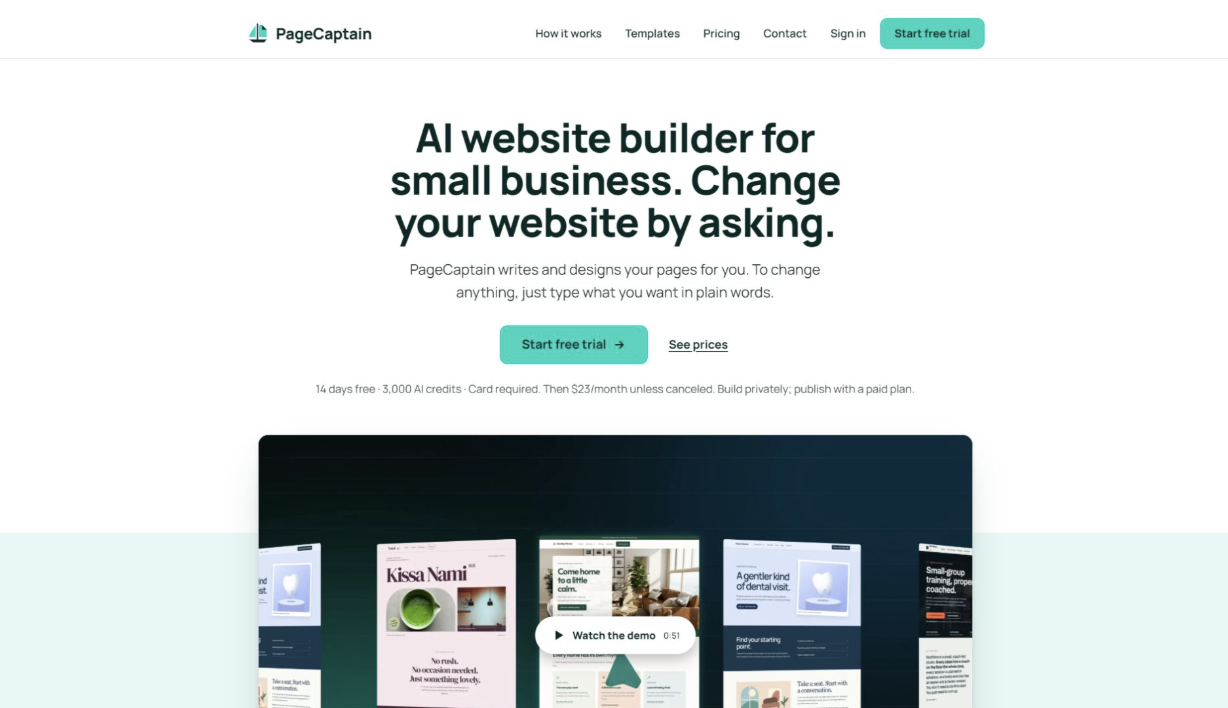
Most small business people aren't interested in learning a website builder. They want to know what you do; they want to use their phones and get in touch without spending a weekend dragging boxes around a screen; they want a website that looks good on their phone.
PageCaptain is an AI website builder designed with that in mind. You type what you want, PageCaptain writes and designs the pages, and you can change anything by typing. Hosting is free; pricing is $23 per month or $18 per month with yearly billing.
So, is PageCaptain worth it? In 2026, PageCaptain is one of the easiest and cheapest website builders for freelancers, small teams, or local service businesses that want a simple, professional website with no coding required. This PageCaptain review covers its functionality and pricing, compares it with Wix, Squarespace, and Hostinger, and explains which services it is ideal for.
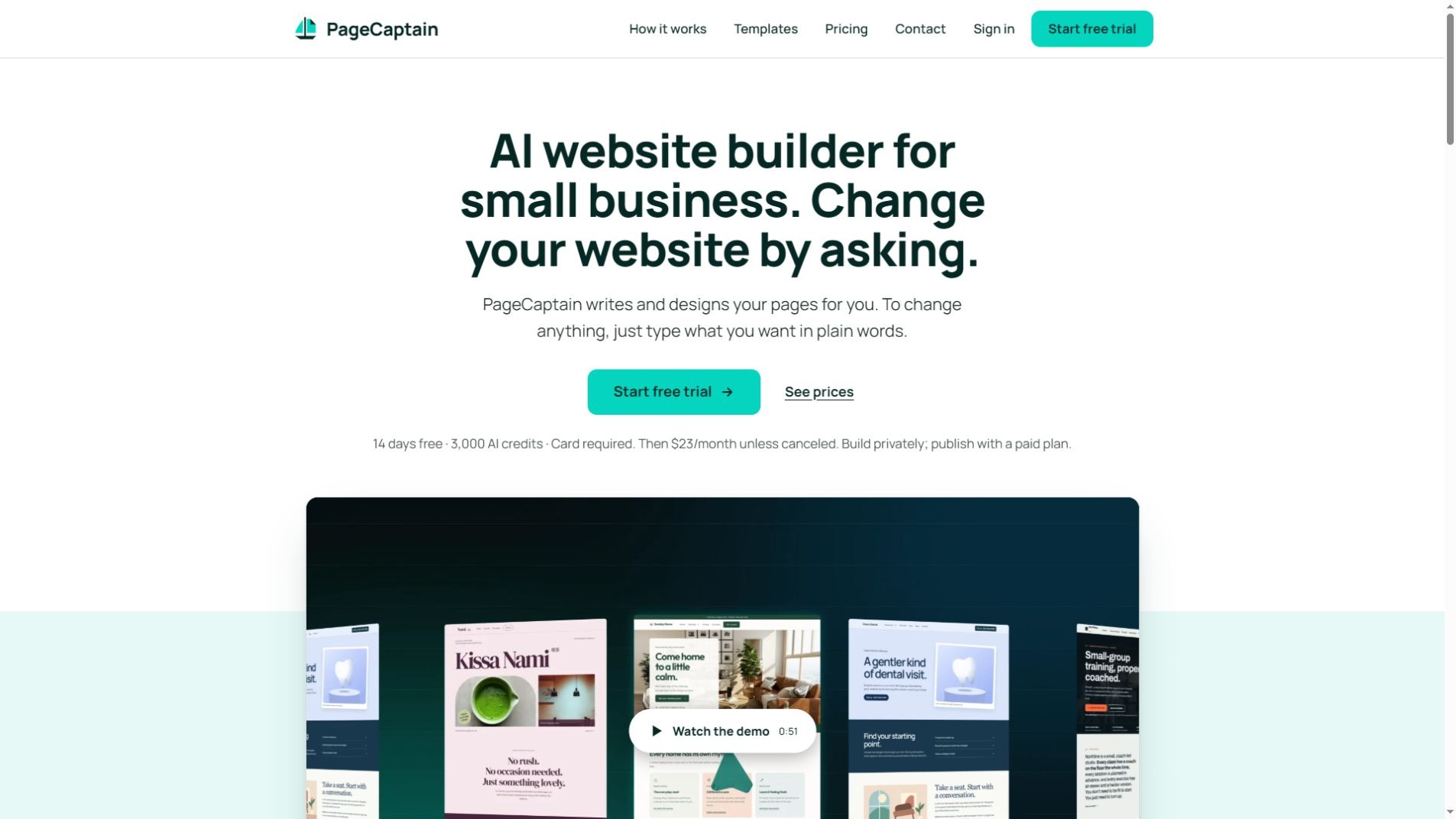
PageCaptain is an AI-powered website builder for small businesses that uses chat. No drag-and-drop editor to master – you create and edit the site by writing what you want. One plan provides all of this, plus a free PageCaptain web address, custom domain connection, inquiry inbox, and a monthly allowance of AI credits. There's a 14-day free trial period. You can create the private site before paying anything.
Local service businesses such as gyms, mechanics, hair salons, dental clinics, cafés, cleaners and builders
Freelancers and creatives who need a clean portfolio site
Owners with no design or coding experience who still want to make changes themselves
Anyone who wants one predictable price instead of comparing four or five plan tiers
| Feature | What you get with PageCaptain |
| Website creation | The AI writes and designs your pages from a description of your business, plus any photos or documents you upload |
| Editing | Type changes in plain language in a chat |
| Page plan | Review and adjust the proposed pages before anything is built |
| Templates | 8 industry templates, and starting from one uses no AI credits |
| Mobile-friendly design | Pages adapt to phones, tablets and computers |
| Hosting | Included, with a free PageCaptain address |
| Custom domain | Connect your own or buy one through a registrar partner (domain fee paid separately) |
| Customer enquiries | Contact form messages land in a dashboard inbox, with optional email alerts |
| Pages and blog posts | Add new pages or posts at any time |
| Private drafts | Sites stay private until you press Publish |
| Price | $23/month, or 216/year(18/month) |
| Free trial | 14 days with 3,000 AI credits (card required) |
No technical skills needed, because every change starts with a plain-language request
One plan with the same features on monthly and yearly billing
Hosting is included, so there is nothing separate to set up
A built-in enquiry inbox with email alerts
Sites stay private until you choose to publish
No surprise bills: if you run out of credits, your site stays online and nothing is charged automatically
You can cancel renewal yourself from your account
The free trial needs a card, and you can't publish until you're on a paid plan
Each plan includes one published website (extra sites are $10/month each)
PageCaptain doesn't publish how many credits a typical edit uses
Site exports are arranged through support rather than a download button
PageCaptain is built for business websites rather than large online stores
Plenty of website builders advertise a low price or a "free" plan, then add conditions at checkout or renewal. We compared PageCaptain's main homepage claims with its pricing details and terms of service. In almost every case, the fine print backs up the headline.
| PageCaptain's claim | What the fine print says |
| "Change your website by asking" | Edits are made in a chat using everyday language. AI-powered changes use credits from your plan allowance. |
| One plan, monthly or yearly | Both options include the same features. Yearly billing is $216 upfront, which is $60 less than 12 months of monthly billing. |
| 14-day free trial | $0 is due upfront, but a card is required. The trial becomes a $23/month plan unless you cancel, and trial sites can't be published. |
| No surprise charges | If you run out of credits, your site stays online and nothing is charged automatically. You can buy a credit pack or wait for your next allowance. |
| Cancel anytime | You can cancel renewal in your account without contacting support. You keep access until the paid period ends, and public hosting continues for a 30-day grace period. |
| Your content stays yours | The terms state that you keep the rights to the material you supply. |
Two more features in PageCaptain's terms are worth mentioning. Users in the EU/EEE can cancel their initial subscription within 14 days to receive a refund. If PageCaptain ever ceases to exist, it will refund any unused prepaid subscription time and unused purchased credits. That's a comforting pledge that can be put in writing.

PageCaptain has one plan with two ways to pay. Every feature is included on both, so the only differences are the price and how your AI credits arrive.
| Monthly | Yearly | Free trial | |
| Price | $23/month | $216/year (works out at $18/month) | $0 for 14 days |
| AI credits | 8,000 each month | 96,000 upfront | 3,000 |
| Websites | 1 published + 2 drafts | 1 published + 2 drafts | 1 private website |
| Publishing | Yes | Yes | No |
| Hosting and free PageCaptain address | Included | Included | Preview only |
| Own domain connection | Yes | Yes | No |
| Images | Up to 200 (50 MB), 15 per upload | Up to 200 (50 MB), 15 per upload | Included |
| Enquiry inbox and email alerts | Included | Included | Included |
PageCaptain's prices include applicable tax.
Extra websites: $10/month or $102/year each
Credit packs: $3 for 1,000 credits, $10 for 5,000 or $18 for 10,000. Pack credits don't expire, but you need an active subscription to use them.
Domain name: paid separately to the registrar if you want your own web address
Yearly billing saves $60 if you're confident you'll keep the site for a year.
Plan credits expire at the end of each paid period. Monthly billing refreshes 8,000 credits every month, while yearly billing gives you all 96,000 at once. That suits owners who do most of their editing around launch.
Running out never costs extra. PageCaptain doesn't top you up automatically, so your bill only changes if you choose to buy more.
Budget for a domain if you want your own web address rather than the free PageCaptain one.
Here is how PageCaptain compares with the entry plans of three popular website builders, based on prices listed in late 2026.
| Builder | Entry plan | Billed annually | Billed monthly | Worth knowing |
| PageCaptain | One plan | 18/month(216/year) | $23/month | All features included, plus 8,000 AI credits a month and hosting |
| Wix | Light | $17/month | Higher than annual | Light doesn't support online payments. Selling online starts on the $29/month Core plan. |
| Squarespace | Basic | $19/month | $25/month | Basic includes 10 AI credits as a one-time grant and charges a 2% online store transaction fee |
| Hostinger Website Builder | Premium | From $2.99/month on a 48-month term paid upfront | $11.99/month | Renews at around $10.99/month after the introductory term |
Hostinger's four-year introductory deal seems cheaper initially, but can end up costing you more over several years. Unlike some other products with a long-term commitment, the amount you pay for PageCaptain doesn't depend on the length of your commitment. Most of the time, you use it for editing with the AI function, rather than as a separate, small allowance. The amount of AI credits varies by builder and cannot be easily compared with other allowances.
Wix and Squarespace generally offer more features, particularly for ecommerce. If your service business primarily needs a clear space and a way for customers to reach you, much of that is unnecessary complexity.
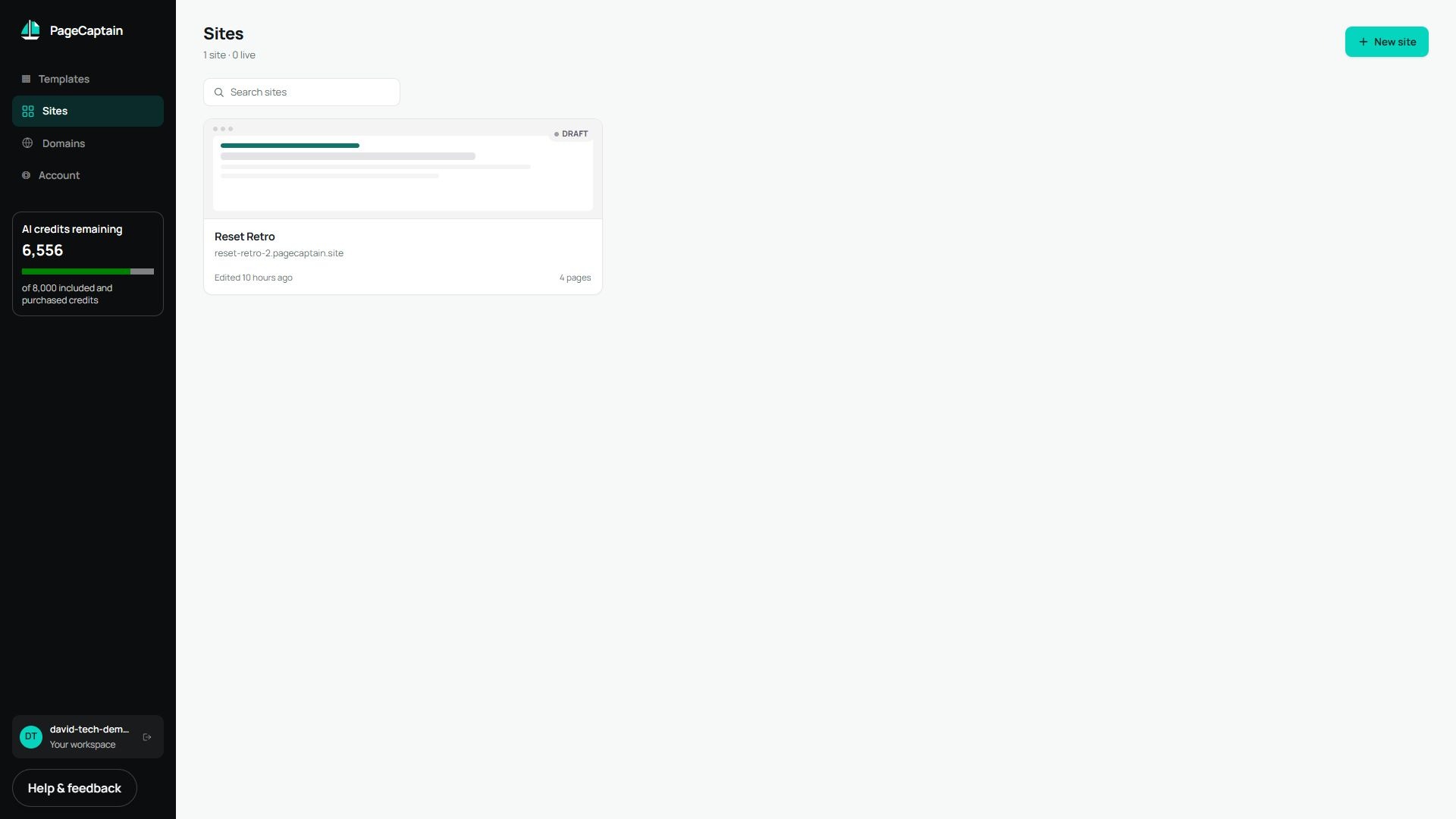
PageCaptain turns a description of your business into a live website in three steps: describe, review the plan, then edit and publish.
The PageCaptain free trial lasts 14 days and includes 1 private website and 3000 AI credits. During the trial, you can create up to three custom pages or start with one of the complete templates. A card is required, but there's no initial fee. The trial automatically upgrades to the $23/month plan if you don't cancel. A subscription can be made directly, monthly or yearly, skipping the trial.
PageCaptain starts by asking what you do, where you work, and who your customers are. You can also upload photos or a document, such as a price list or an existing brochure, giving the AI real material to work from.
Before PageCaptain builds anything, it suggests the pages it intends to create and what they will include. This is the time to change the plan if you don't want to redo a completed site that took a wrong turn.
You can make changes to your site after it is built by typing the requests in the Chat. In the homepage demo (shown in the image), there is a request to add a price list with three prices: you ask, PageCaptain applies the change, and you check the result. You can preview the site on your phone, and publish once you're ready. The site remains a private draft until then.
If you'd rather start from a design, PageCaptain offers eight templates aimed at common small business types:
Northline Fitness for fitness studios, gyms and personal trainers
Lantern Street Garage for mechanics and vehicle repair workshops
Stillroom Hair for independent hair salons and stylists
Gleam for dental practices and local clinics
Kissa Nami for cafés, tea rooms and small restaurants
Oak & Form for carpenters, builders and renovation companies
Sunday for home cleaning businesses
Folio for independent designers, creatives and freelancers
Each template has a live preview, and starting from one uses no AI credits. Templates come with sample content and images, so you'll want to replace the business details, prices, and legal text before you publish.
All PageCaptain sites receive a complimentary PageCaptain address. To use your own web address, you can link your domain name or purchase one through PageCaptain's registrar partner. You do not pay domain fees to PageCaptain, but to the domain registrar.
Anyone who completes your contact form will see your message in your PageCaptain dashboard. You can even enable e-mail alerts to notify you immediately of every new inquiry. For a small business, this means that all the website's primary functions, namely generating leads, are being performed without the need for a form tool.
Your PageCaptain website doesn't go away after it is live. You can add pages or blog posts anytime – like a new page for services or a quick update on opening hours or a seasonal offer.
You need to know how to use an editor: panels, sections, blocks, and settings, and traditional website builders expect you to know how to do this. It's a chat that replaces all of that with PageCaptain. If you can explain it in a sentence, you can implement it, and that's why PageCaptain is perfect for owners who've been postponing construction of a website because the tools feel like a second job.
PageCaptain offers one plan, two features, and two pricing options. No tier comparison, no "most popular" upsell, and no automatic overage charge when you run out of credits. Prices exclude applicable tax, and the displayed price is the final price.
Many small business sites focus only on initiating calls and messages. PageCaptain's built-in inquiry inbox and email notifications handle that from the start, with no plugins or third-party form tools required.
PageCaptain saves all sites as private drafts until you publish them, and you can preview it on a mobile device before publishing. Together with the page plan step, this keeps you in control of your customer's view, even with AI doing the bulk of the writing and design work.
PageCaptain's templates aren't "generic" layouts; they're designed around the type of business they're used for, such as a garage or dental office. That provides a starting point for those in the industry, with relevant information, and they don't have to pay any credits to use it.
No website builder suits everyone. These are the points worth checking before you sign up.
You'll add a card to start the 14-day trial, and the trial becomes a paid plan unless you cancel. Canceling renewal is self-service in your account, so set a reminder if you're still deciding.
Each PageCaptain plan includes one published website and two drafts. If you run several businesses or brands, each extra website costs $10/month or $102/year.
PageCaptain shows how many credits each plan includes, but not how many a typical change uses. The trial's 3,000 credits are the best way to see how far an allowance goes before you commit.
If you ever want to move your site, PageCaptain arranges exports through support rather than a self-service button. Exports are free once ownership is verified and come in common machine-readable formats. As with most hosted builders, features such as forms and AI editing won't carry over to a new host.
PageCaptain's homepage doesn't list online store, booking, or payment features. If selling products online is central to your business, a builder with dedicated ecommerce plans, such as Wix Core or Squarespace Core, may suit you better.
PageCaptain is worth it for small business owners who want a professional website without learning design software or paying an agency. It does one job well: turning a description of your business into a clear, mobile-friendly site that you can keep updated by simply asking for changes. One plan, included hosting, a built-in inquiry inbox, and no automatic overage charges keep both the product and the bill easy to understand.
PageCaptain is a strong choice if you:
Run a local service business, studio, clinic, café or trade business
Are a freelancer who needs a simple portfolio
Want to update your own site without technical help
Prefer one clear monthly or yearly price with no long-term commitment
You may want a different builder if you:
Need a full online store with payments and inventory
Want to manage many websites under one low-cost plan
Prefer to control every layout detail yourself in a drag-and-drop editor
For most small businesses that just need to get online and start receiving inquiries, PageCaptain's 14-day free trial is an easy, low-risk way to see what your site could look like.
Yes. PageCaptain is operated by Anemo Adrian Czarnoleski, a business registered in Sosnowiec, Poland. It publishes full terms of service, a privacy policy, a data processing agreement, and a withdrawal form, and its terms follow Polish law while keeping the consumer protections that apply where you live.
PageCaptain isn't free, but it has a 14-day free trial with 3,000 AI credits and one private website. Publishing requires a paid plan, which costs $23/month or $216/year.
No. PageCaptain is designed for people with no coding or design experience. You describe your business to build the site, then type changes in plain language to edit it.
Your published site stays online, and nothing is charged automatically. You can buy a credit pack, starting at $3 for 1,000 credits, or wait for your plan's next allowance.
Yes. Every PageCaptain site includes a free PageCaptain address, and you can connect a domain you already own or buy one through PageCaptain's registrar partner. You pay the domain fee separately to the registrar.
Yes. You can cancel renewal from your account without contacting support, and you keep access until the end of the period you've paid for. A published site needs an active plan to stay online, though PageCaptain's terms include a 30-day hosting grace period after your plan ends.
Yes. PageCaptain provides free exports through support once ownership is verified, in common machine-readable formats. Hosted features such as contact forms and AI editing would need to be replaced on a new host.
 AI tools to find & convert leads.
 Send emails at scale