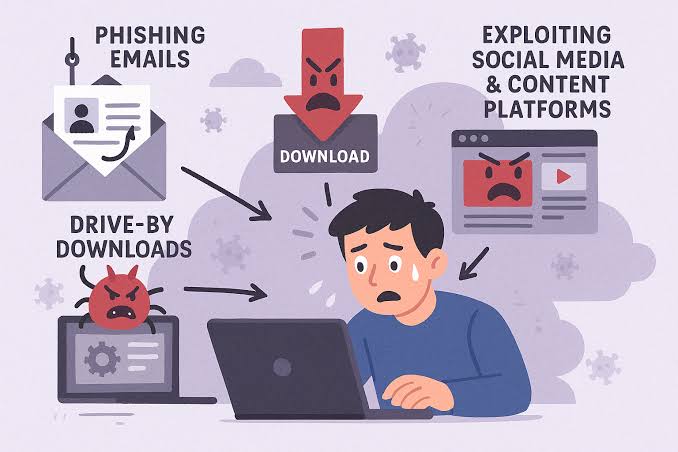
A sales representative opens what appears to be a revised purchase order from a prospect. The document loads, nothing unusual happens, and the rep returns to the CRM. By lunchtime, an attacker has captured the rep’s browser sessions, email credentials, and access to several active deals.
Malware is that awkward business problem. The first visible symptom may be a slow laptop. But the real damage can surface inside your pipeline:
Security incidents don’t stay in the IT queue. They wander into revenue operations.
Sales teams work in a scattered and outward-facing environment. They do the following:
Those actions are part of the job. So, blanket restrictions are impractical.
You can still protect your business from Malware. But you don’t have to turn every salesperson into a security analyst.
Those are the places where a malicious attachment and stolen session cookie might slip through. It might also have a compromised plug-in.
Phishing is also a common delivery route. Attackers may pose as -
Then, they can send files that fit the conversation. They frequently use phishing to steal credentials. It can also help deploy malicious software for follow-on activity.
Some infections arrive through less obvious doors. For instance, a rep might install a free PDF converter to handle a proposal or reuse a personal password. They might even sign in to the CRM from an unmanaged home computer.
These choices do not look dramatic on their own. Together, they create a rather generous attack surface.
The sales pipeline is attractive because it contains money, timing, identity, and trust. An attacker doesn’t always need to encrypt a server. Quiet access can be more profitable.
Infostealer malware can collect the following:
A criminal using an active session may bypass the password entirely. Then, they might read deal notes and watch conversations. This happens until a suitable payment or contract appears.
That interference won’t necessarily trigger an obvious outage. The CRM still works. Dashboards still load. Yet an attacker may create forwarding rules, reset connected accounts, export contact lists, or impersonate a representative.
Suppose your team has spent four months negotiating a $70,000 contract. Shortly before payment, the prospect receives an authentic-looking message from the rep’s account with “updated” banking instructions.
Sometimes, the transfer is stopped. Now, the buyer has a reason to question every message your company sends.
The direct loss matters. But the secondary damage can linger longer. Deals pause while legal and finance teams investigate. Representatives avoid outreach because they don’t know which accounts were exposed. Prospects may ask for security documentation that nobody can produce quickly.
Ransomware is malware that holds data or systems captive. It can make CRM records, proposal files, call notes, and reporting tools unavailable. A five-day interruption doesn’t merely delay five days of work. Leads cool, renewal dates pass, and managers forecast with incomplete information.
| Attack outcome | What sales sees | Business consequence |
| Email account takeover | Strange replies or missing messages | Fraud attempts and damaged buyer confidence |
| CRM credential theft | Unexplained exports or record changes | Lead exposure, ownership disputes, and bad forecasting |
| File encryption | Proposals and notes become unavailable | Slower deals and missed commitments |
| Browser-session theft | Logins from unfamiliar devices | Access without an obvious password reset |
| Contact database exfiltration | Often nothing at first | Privacy obligations, targeted scams, and prospect churn |

Which system should you defend first? It might not automatically be the one containing the most data. Start with the system whose failure would stall active revenue fastest. This might be email, identity, or the CRM.
Also, require phishing-resistant multifactor authentication for administrators and high-risk users. In fact, hardware security keys or passkeys resist common credential theft better than SMS codes.
They do cost money. Also, enrolling a scattered sales force takes coordination. Usually, the inconvenience is a sensible exchange for privileged accounts and finance-facing roles.
You must tighten the working environment without smothering it. Focus on the following aspects:
There’s a fair case for allowing limited bring-your-own-device access in small firms that can’t issue hardware to every contractor. If you take that route, use -
In general, full CRM downloads to personal laptops are harder to defend.
A generic incident plan may say, “Notify IT.” That isn’t enough at 4:45 p.m. when a buyer reports altered bank details. So, do the following:
Decide in advance who can -
Run a tabletop exercise twice a year using a sales scenario. Do not go for an abstract server breach.
Malware threatens more than devices. It corrupts the information and trust that move an opportunity from first contact to payment. That makes pipeline security a joint operating concern for teams. It is not merely a technical clean-up task.
You won’t remove every risky click or questionable download. This way, you can -
So, protect the accounts, devices, and handoffs closest to revenue first.
 AI tools to find & convert leads.
 Send emails at scale